TGE day for $MET: my checklist for any token launch on Meteora.
The checklist I ran on $MET launch day: pool URL, contract address, wallets and RPC, Meteora settings, and a calm plan A, B and C.
It's LGE (TGE) day for $MET on @MeteoraAG. It's been a long journey for many, but believe me, this is just the beginning.
I want to share some preparation tips you can use for any TGE or high-volatility moment. Let's dive into my checklist.
Prepare the pool URL
It's so easy done by Meteora. Just go to the main page, and you'll find it there. No need to use secret TG or Discord groups. Don't use any URLs from external sources.
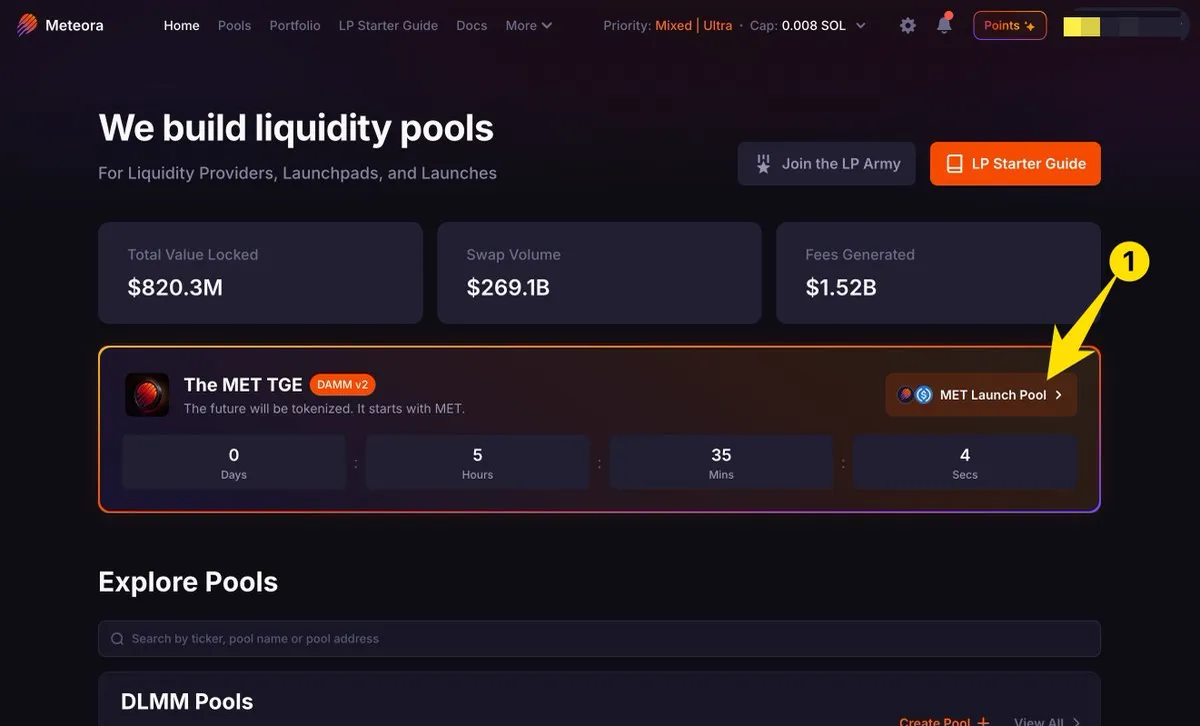
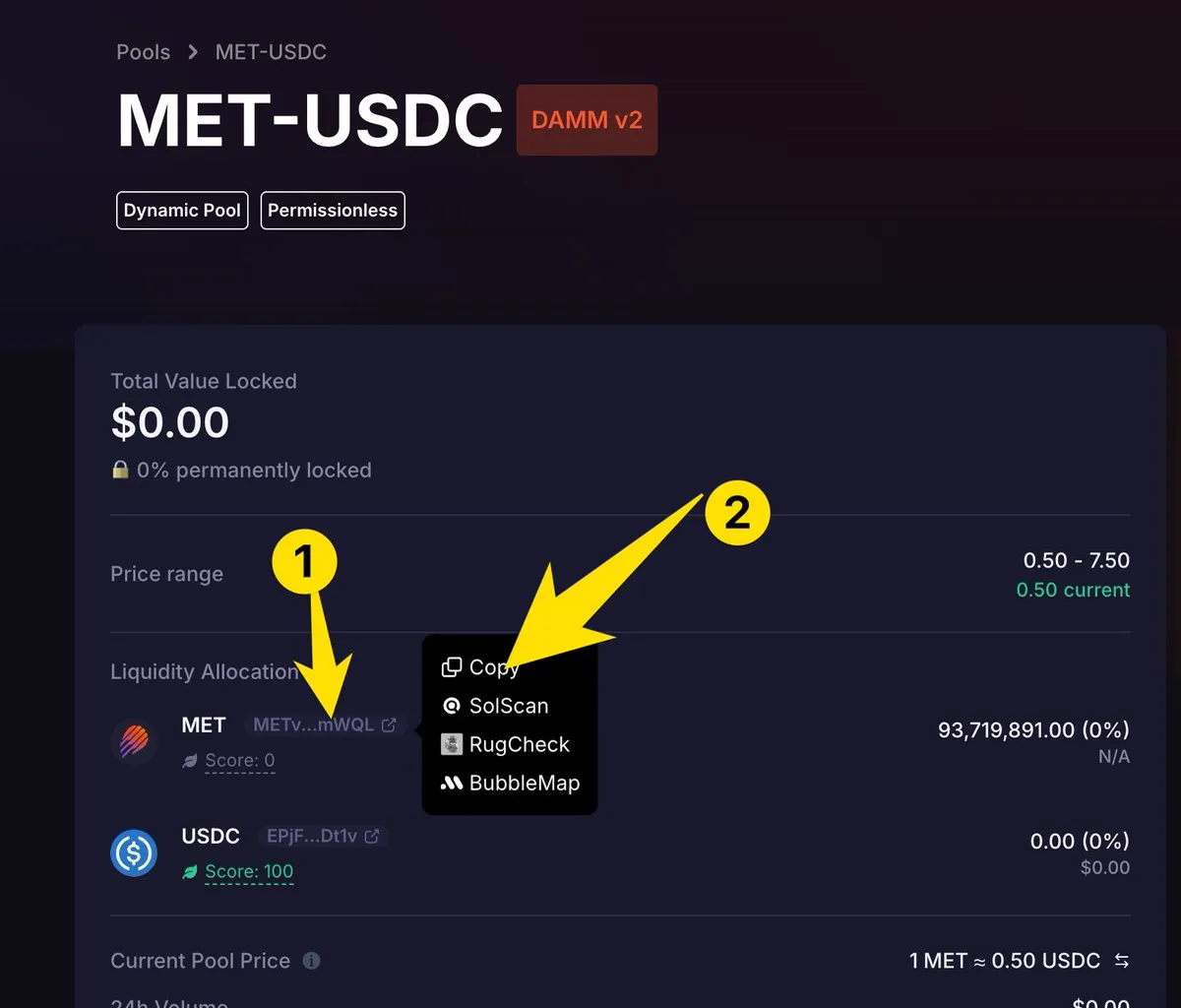
Where to find the CA (token contract)
Once you've opened any original $MET pool, click on the CA next to the name and copy it. You can use it to search for DLMM pools, for example.
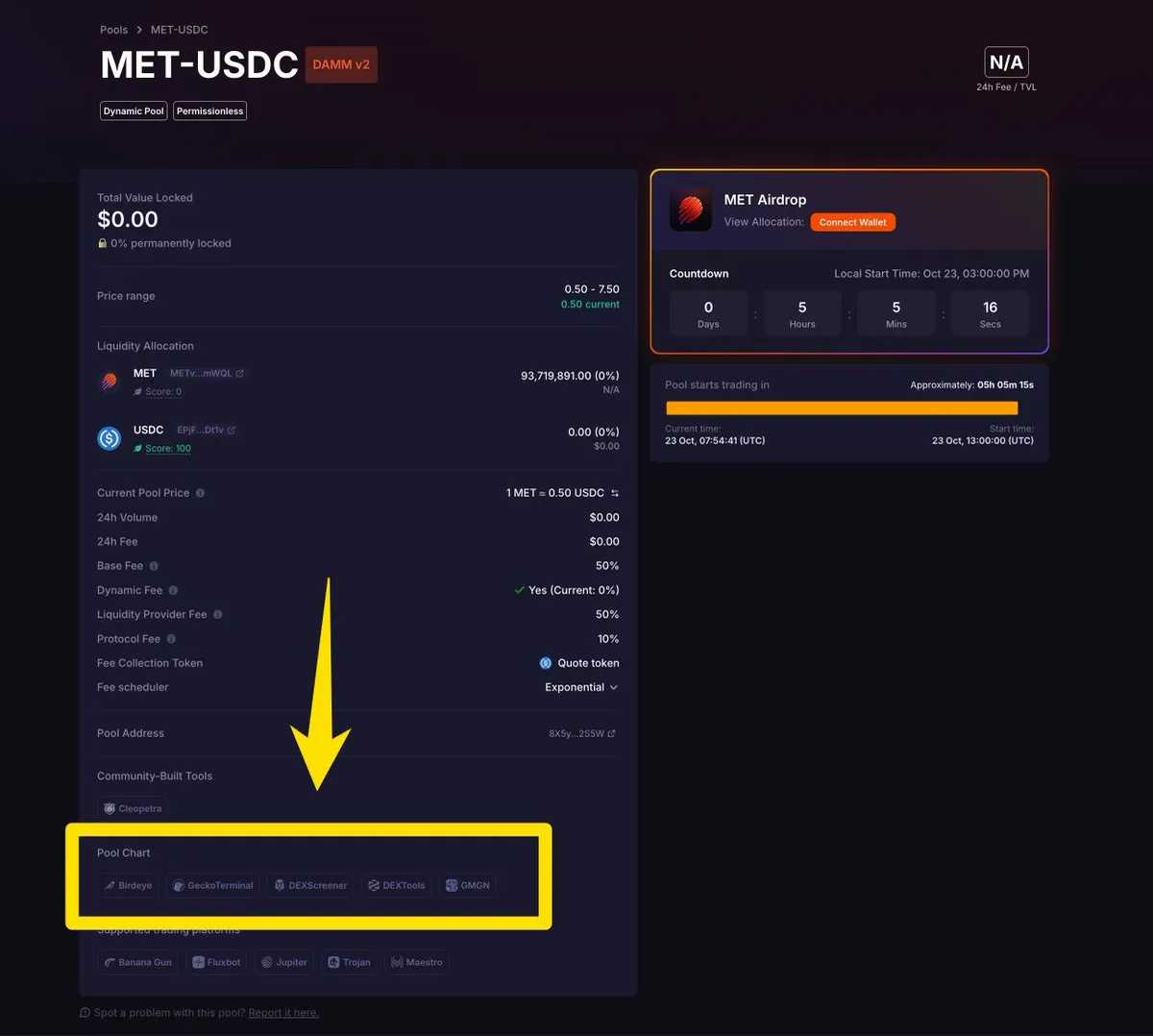
Where to find the charts
On the same page, you will find all the URLs to the different charts.
Prepare your wallets
RPC is crucial. If you're using a custom RPC like one from @heliuslabs, don't forget to set it up.
Most of you won't do that, but how should you handle this? Wallets! Since every wallet uses a different RPC provider, you can choose one that isn't being used by too many people at once, or one that has proven itself during high volatility moments.
I use wallets in this order, especially because of RPC lag: Solflare, Backpack, Phantom.
Of course, Jupiter Wallet is also an option and maybe the best one. But I've never used it on a TGE, so for me it's not bulletproof yet.
I also use Auto-Approve on Solflare because I need more speed. But you need to be experienced with that!
Having multiple wallets as a backup is always a good option.
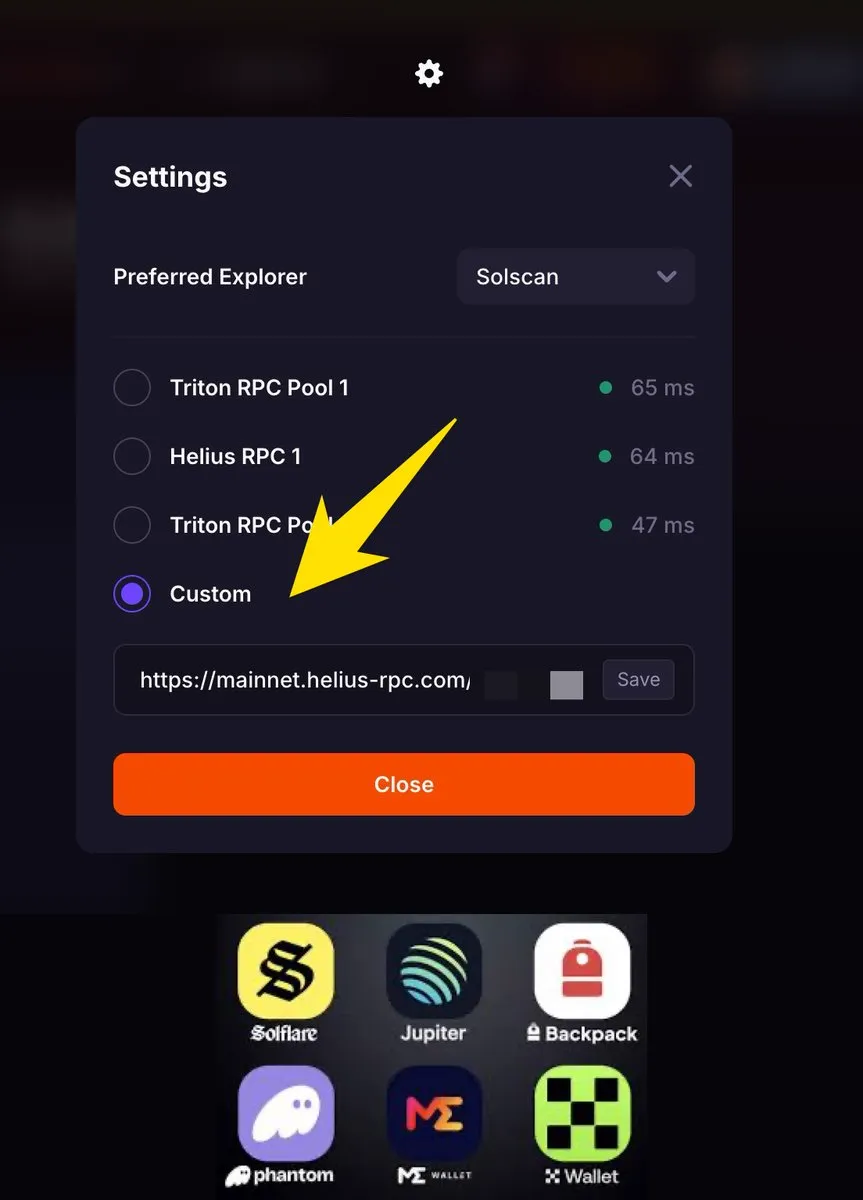
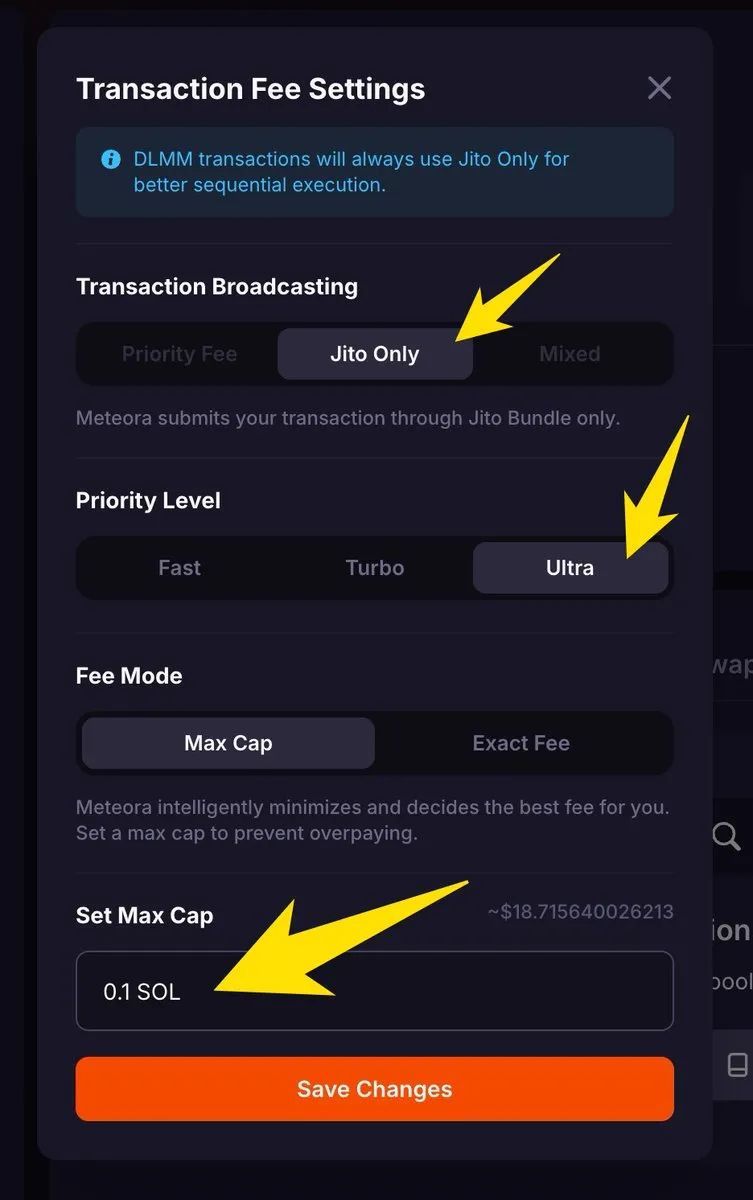
Settings on Meteora
When the chain is congested and there's a lot of activity, your transaction might fail because of your settings under Set Max Cap. If you want to be fast, you need to increase it. I also max all the other settings for TGE just to prevent failed transactions.
Switching to another wallet can also help.
Wen TGE? Wen CEX? How to claim
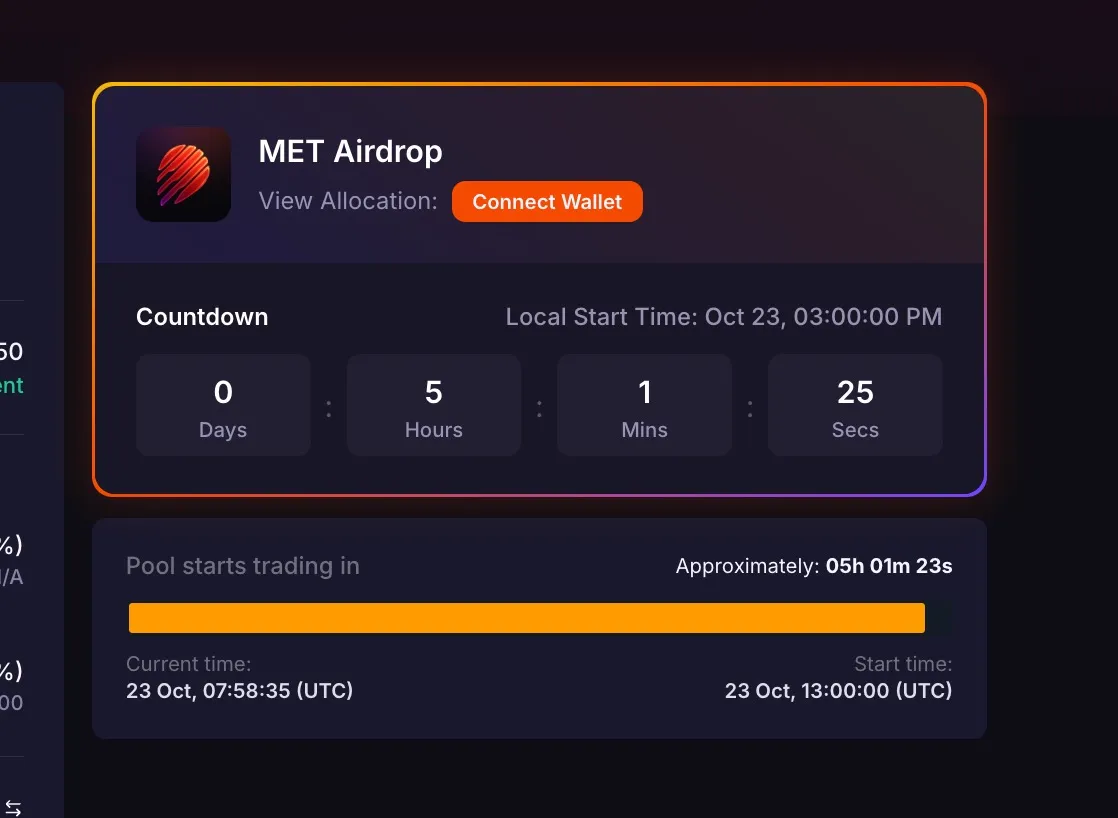
$MET will go live on October 23 at 13:00 UTC on DEXes and 14:00 UTC on CEX. The URL to the pool with the CA is already on the main page of Meteora.
You can claim your NFT position or tokens right after TGE is done on this page. No rush, NFTs will collect fees even without claiming.
Be calm, prepare your move upfront
Write down your strategy for the TGE. Think about plan A, B, and C. Prepare the browser tabs, clean your environment, everything that can distract you.
Have someone trusted who you can chat with if something goes wrong and you need advice. Always think before you act. TGE is not about rush!
DYOR, NFA and stay safe.
 MichaelZogot@MichaelZogot