Workshop / One builder, a team of AI agents

Solo builds.

Products with real users, games and tools for the LP Army on Meteora, and the apps that run on my own desk. I do the product, the design and the code myself, with AI agents as the team.

Builds
18
Open to use
9
Open source
3
Websites since
2006

Products / 4 builds

Products with real users.

Four apps that are live and open to anyone. Product, design, code and operations are all mine, and I use every one of them myself.

Live · 500+ users every day

DLMM Alert

It watches your positions

A Meteora DLMM position only earns fees while price sits inside your range. Once it leaves, the position earns nothing, and nobody watches a chart around the clock. DLMM Alert checks every position once a minute and pings you on Telegram when one needs you.

Alerts cover positions, pools and token safety: early warnings before you leave the range, take profit and stop loss, drops in volume or liquidity, an automatic RugCheck. It is read-only. No private keys, no transactions, any wallet address works.

  • Next.js
  • TypeScript
  • Supabase
  • Solana RPC
  • Telegram Bot API
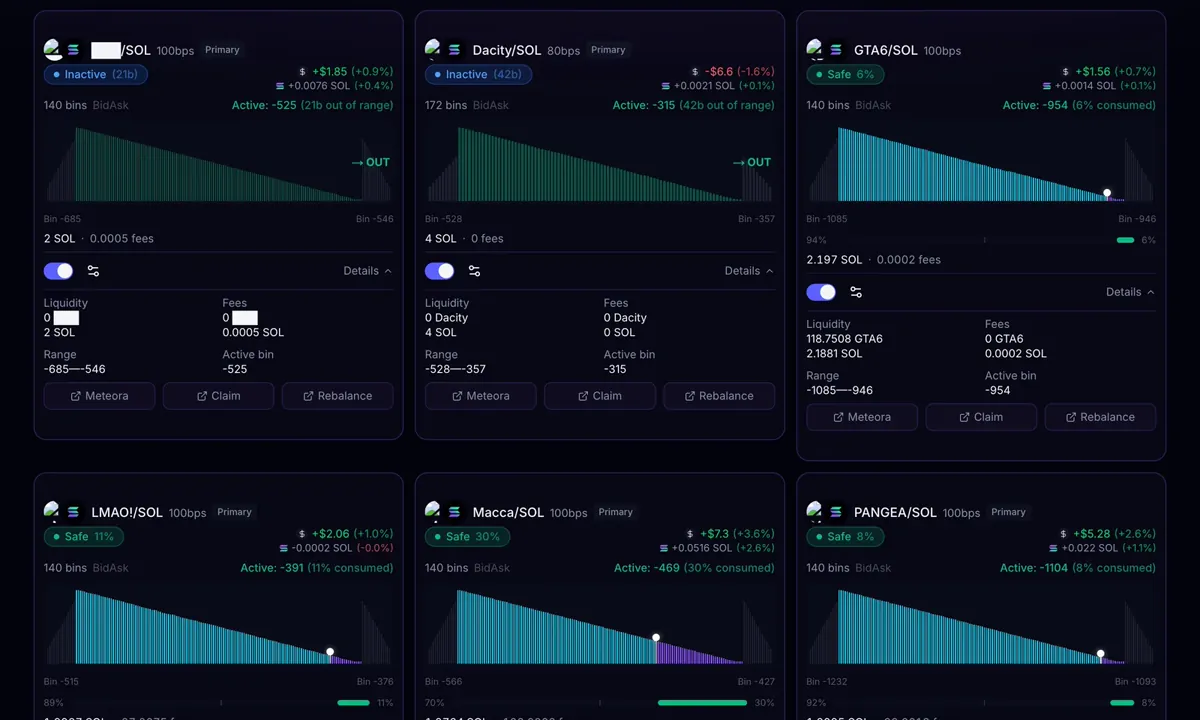
DLMM Alert grid view: each position as a card with its liquidity shape, status and open fees
Position grid
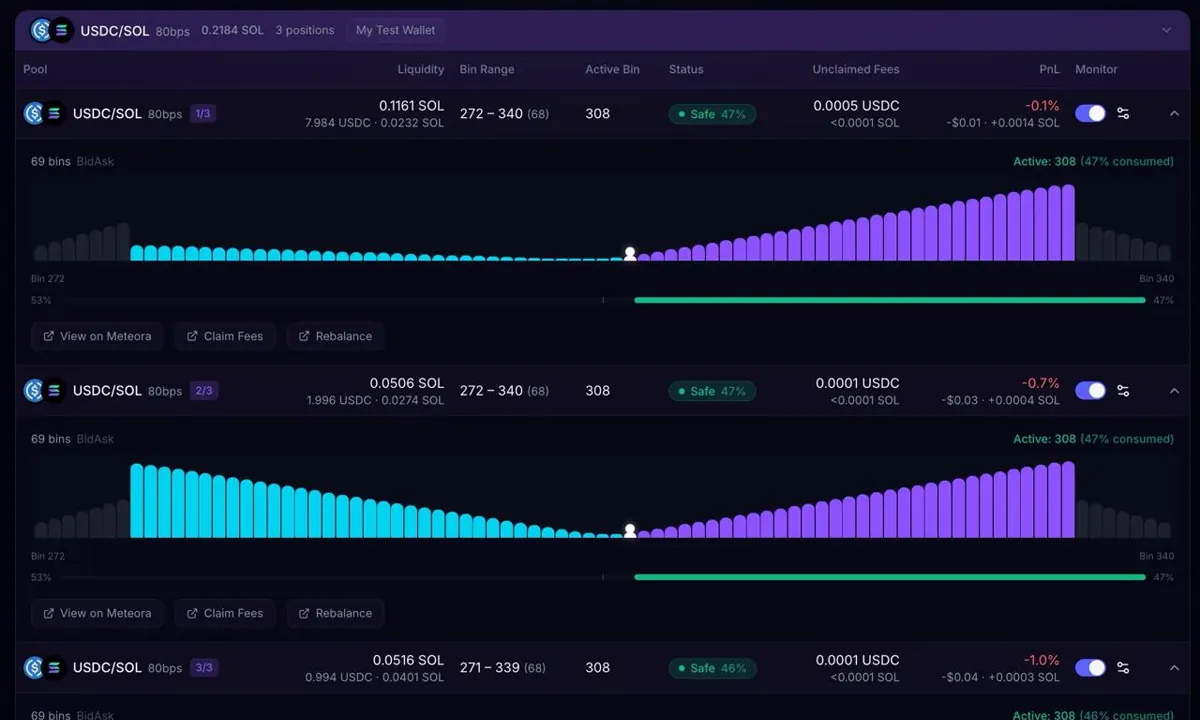
DLMM Alert list view: several positions in one pool with the active bin and how much of the range is used
Bin map
A DLMM Alert notification on a smartwatch and on a phone
On your wrist
  • 500+LPs get their alerts from it every day
  • 1 minbetween checks on every position
  • 12position alerts, plus pool and safety alerts
  • 6.5 → 9security score out of 10 after two reviews
Promo · real interface · no sound
Live · web app

Subscraby

Zero surprises

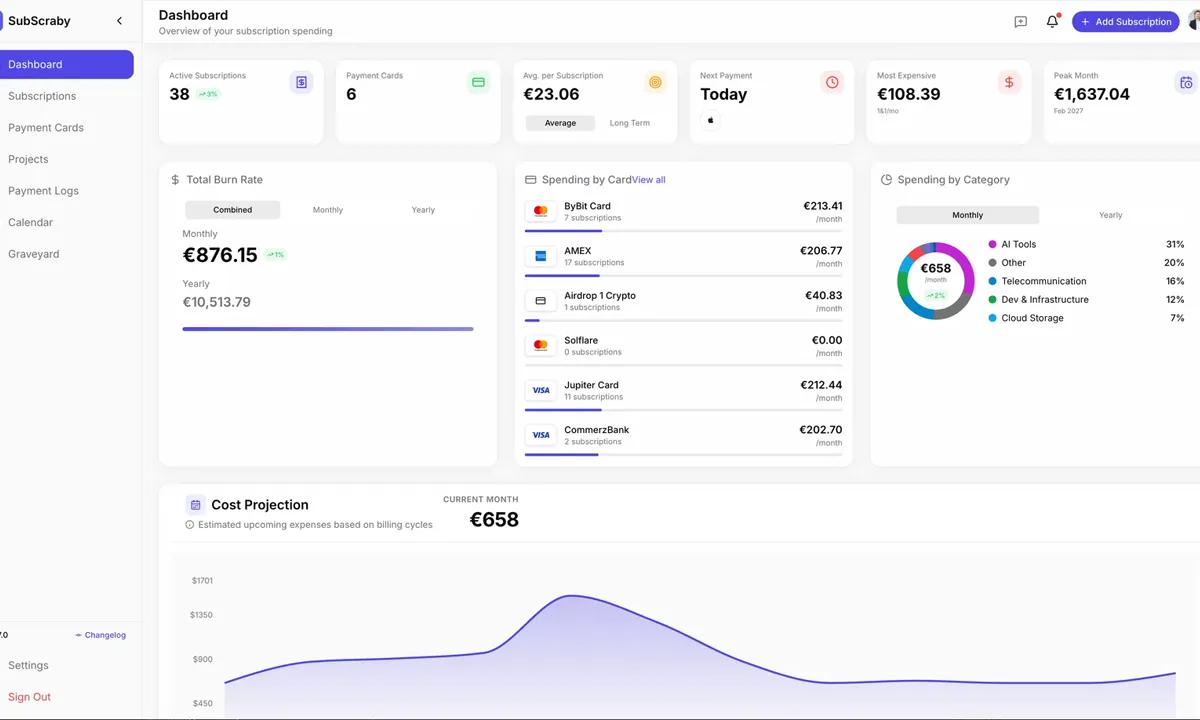
It started with my own mess: dozens of subscriptions on several cards, and no idea what they cost me per month or per year. Subscraby puts subscriptions, payment cards and projects in one place and shows the real load, by month and year, by card and by project.

A forecast shows the months with big yearly payments long before they hit. Reminders arrive on Telegram. It never touches a payment. It only tells you what is coming.

  • Next.js
  • TypeScript
  • Supabase
  • PWA
  • Telegram
Subscraby dashboard: monthly and yearly load, spending by card and category, cost forecast
Dashboard
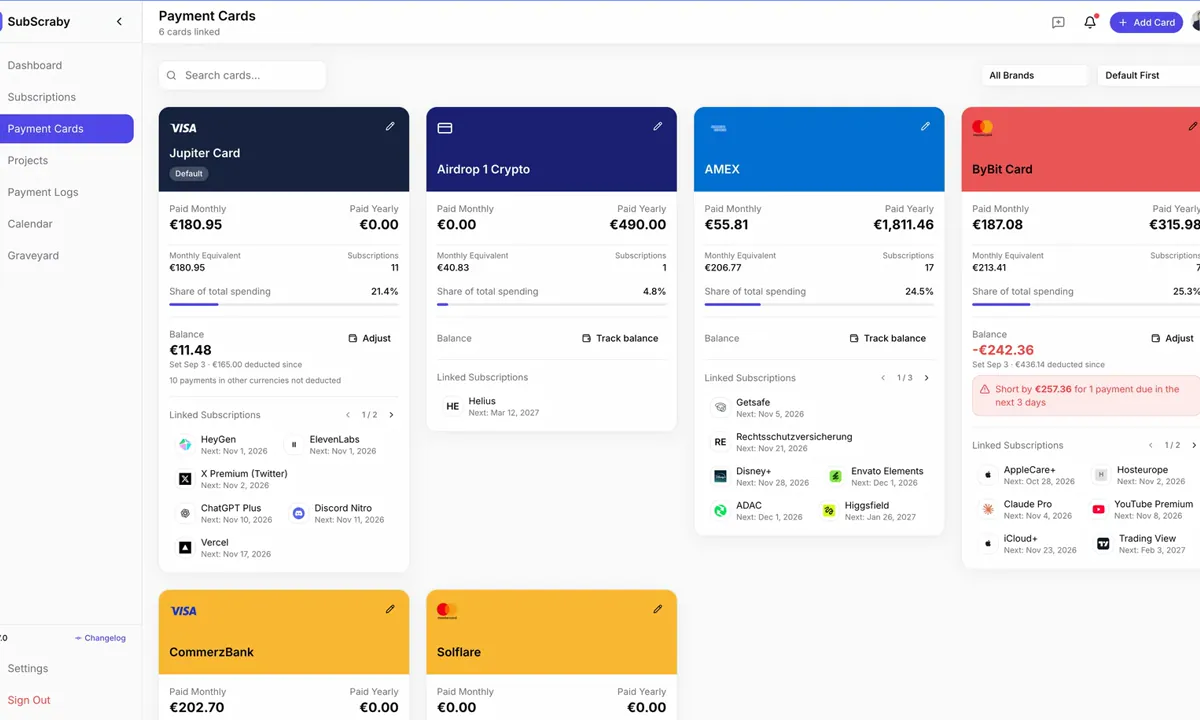
Subscraby payment cards with their share of total costs and a low balance warning
Cards
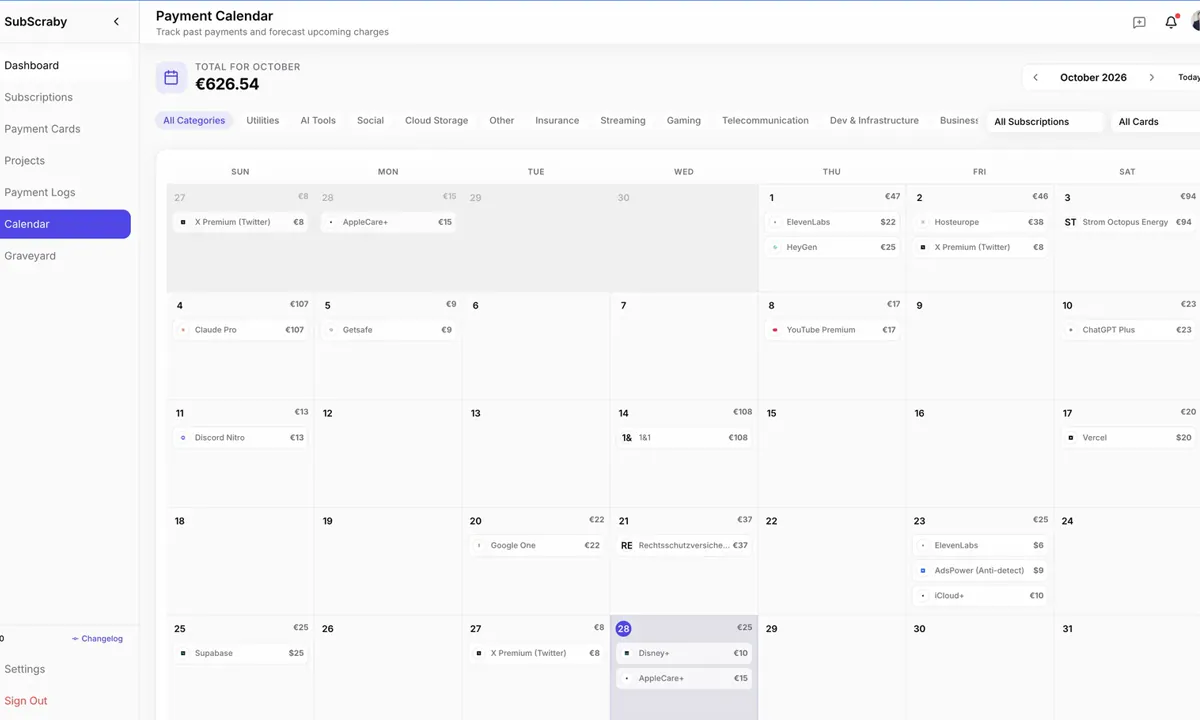
Subscraby payment calendar: every charge of the month with daily totals
Calendar
  • 13releases since March 2026
  • 65+services in the catalog
  • 6tables behind row level security
  • 1–14days of notice before a card runs low
Promo · real interface · no sound
Live · browser and Mac

Image Resizer

Nothing gets uploaded

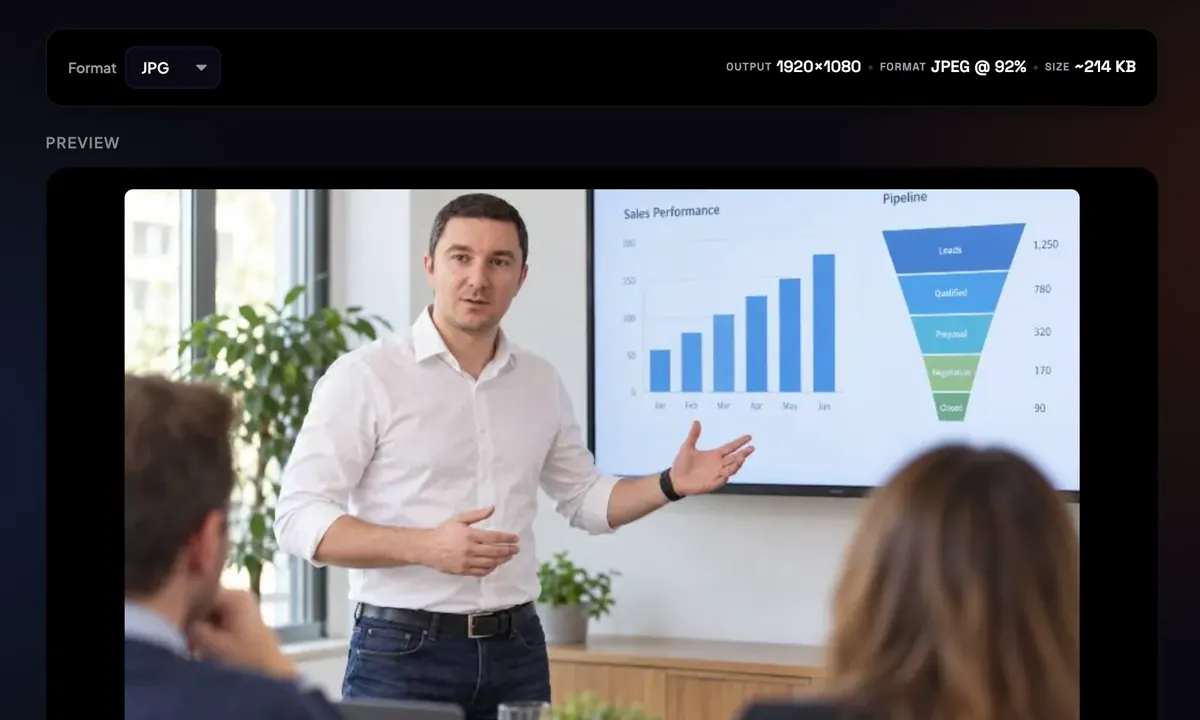
The first app I built with AI, and I still use it every day. Drop an image, pick a format, done. Several at once if you need it.

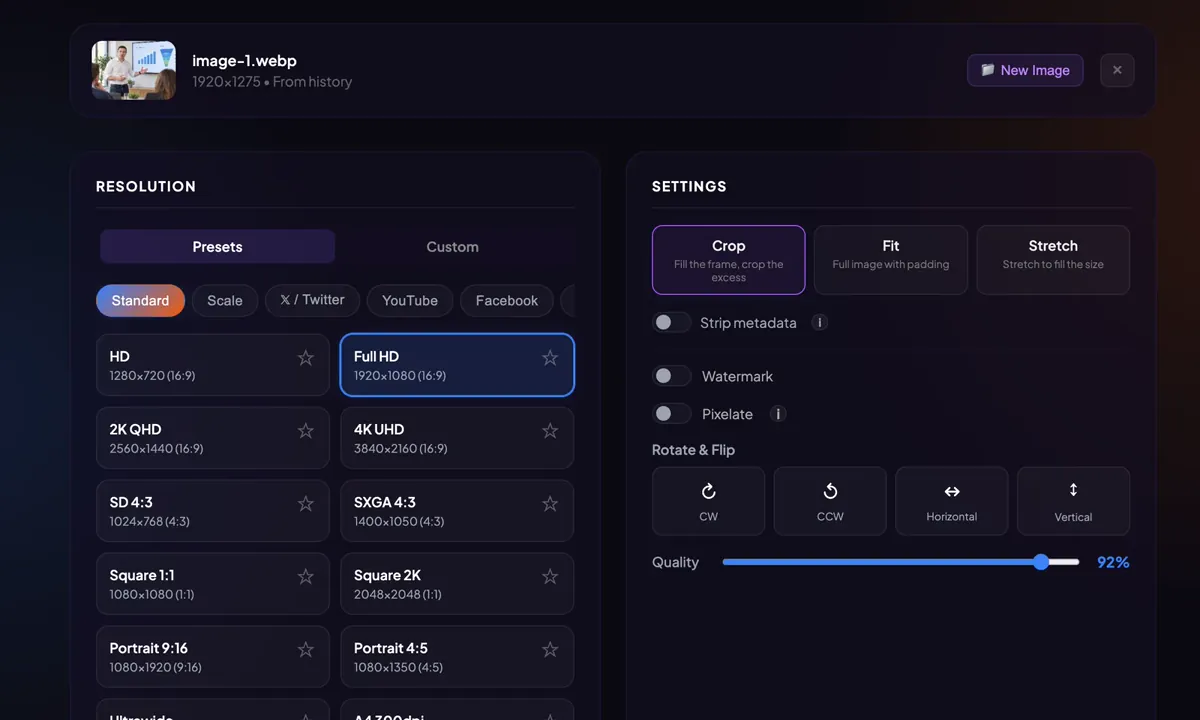
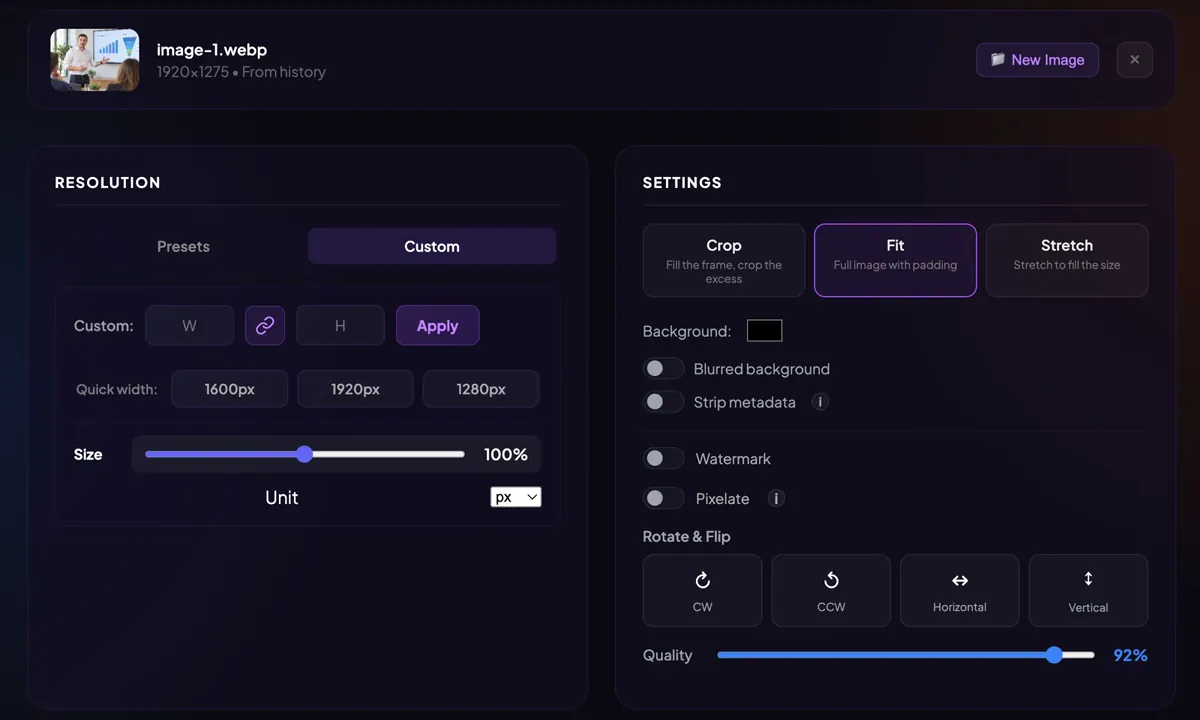
39 presets for social, video and print sizes, a blurred background for images that don't fit the frame, and metadata removal. All of it runs inside the browser.

  • HTML, CSS, JS
  • Canvas
  • PWA
  • Electron
Image Resizer presets: HD, 4K, square, portrait and more
Presets
Image Resizer custom size with fit, blurred background and metadata options
Fit and blur
Image Resizer export preview with format, quality and file size
Export
  • 1stapp I built with AI
  • 39format presets in six categories
  • 0uploads, every image stays in the browser
  • 10recent images kept when you sign in
Promo · real interface · no sound
macOS · beta

Boardify

Every idea on one board

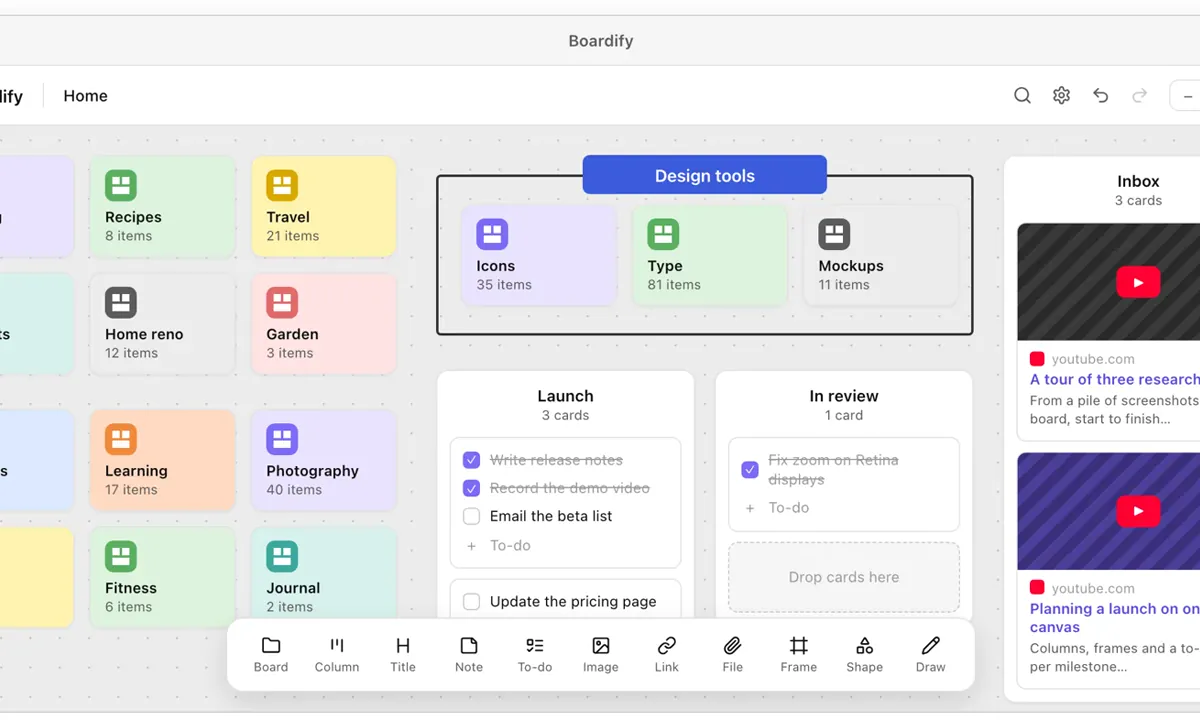
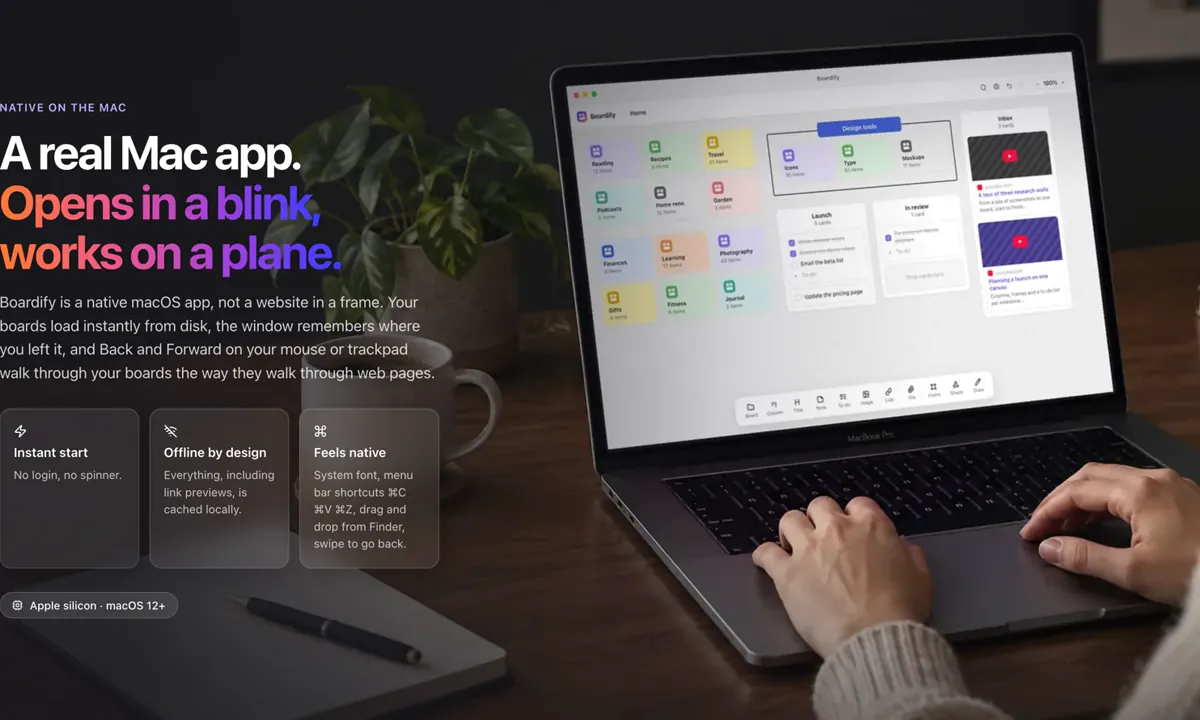
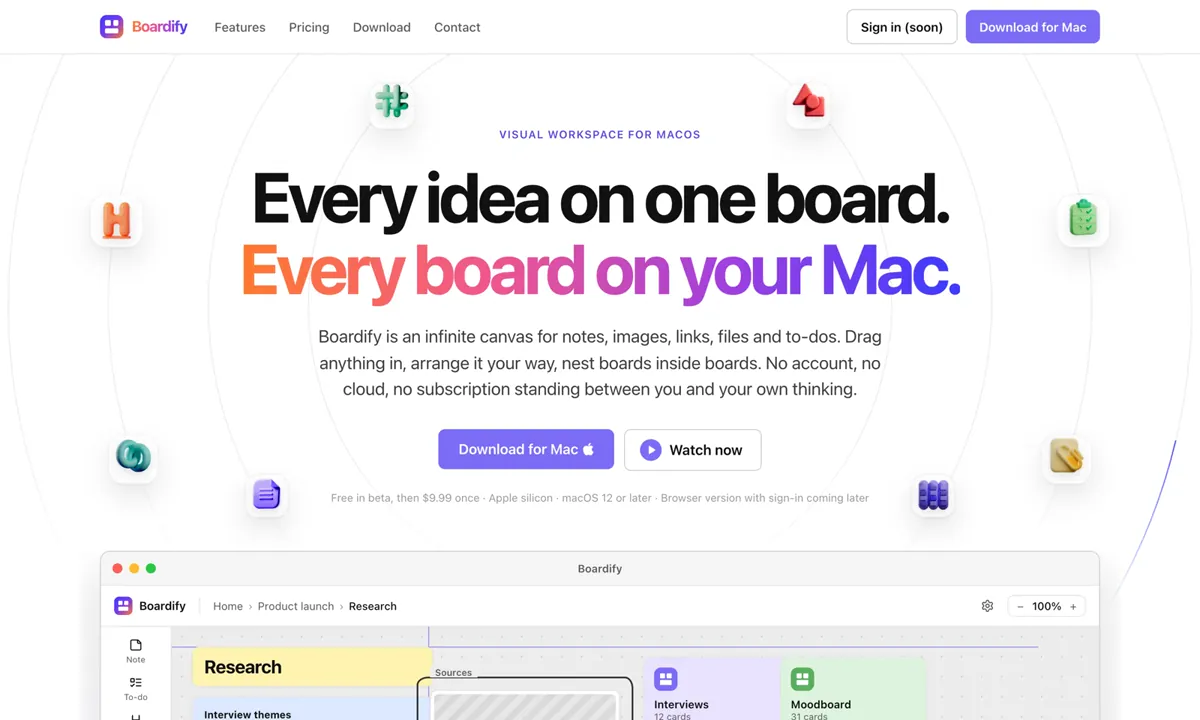
My first Mac app. An infinite canvas for notes, to-dos, images, files and boards inside boards. No account, no cloud, no tracking.

It is signed and notarized by Apple, so it opens without a warning. One script builds, signs and ships a release, and installed apps update themselves. Free during the beta, then a one-time $9.99.

  • React
  • TypeScript
  • React Flow
  • TipTap
  • Tauri
Boardify canvas with nested boards, to-do cards and video links
The canvas
Boardify running as a native Mac app on a laptop
Native on the Mac
The boardify.xyz product website
boardify.xyz
  • 1stMac app of mine, signed and notarized
  • 13releases in the first ten days
  • 12card types on one canvas
  • 0accounts, cloud servers or tracking

Community / 3 builds

Built for the LP Army.

A game, a music platform and a browser extension for the community I LP with on Meteora. All three are free.

Real runs from a community challenge
Game · browser and app

Meteora Run

No finish lines here

My first game. An endless runner through space that never stops speeding up. After six or seven minutes you have about 200 milliseconds to react. The 21 runners are modeled on LP Army members.

The part you don't see: every run starts with a signed seed from the server. The game records each input, and the server replays the whole run in about 15 milliseconds before it counts. The runner animations start as AI video and go through my own pipeline to become sprite sheets.

  • Three.js
  • TypeScript
  • Vite
  • Neon Postgres
Meteora Run key visual: a runner on a neon highway between floating islands
The world
Meteora Run artwork: a runner jumps a wall of red candles, chased by a bot and a ghost
Monsters
Meteora Run artwork: climb the leaderboard, every run is replay-verified
Leaderboard
  • 100+players with a verified run
  • 21runners from the community
  • 105badges to earn
  • 40releases in the first 18 days
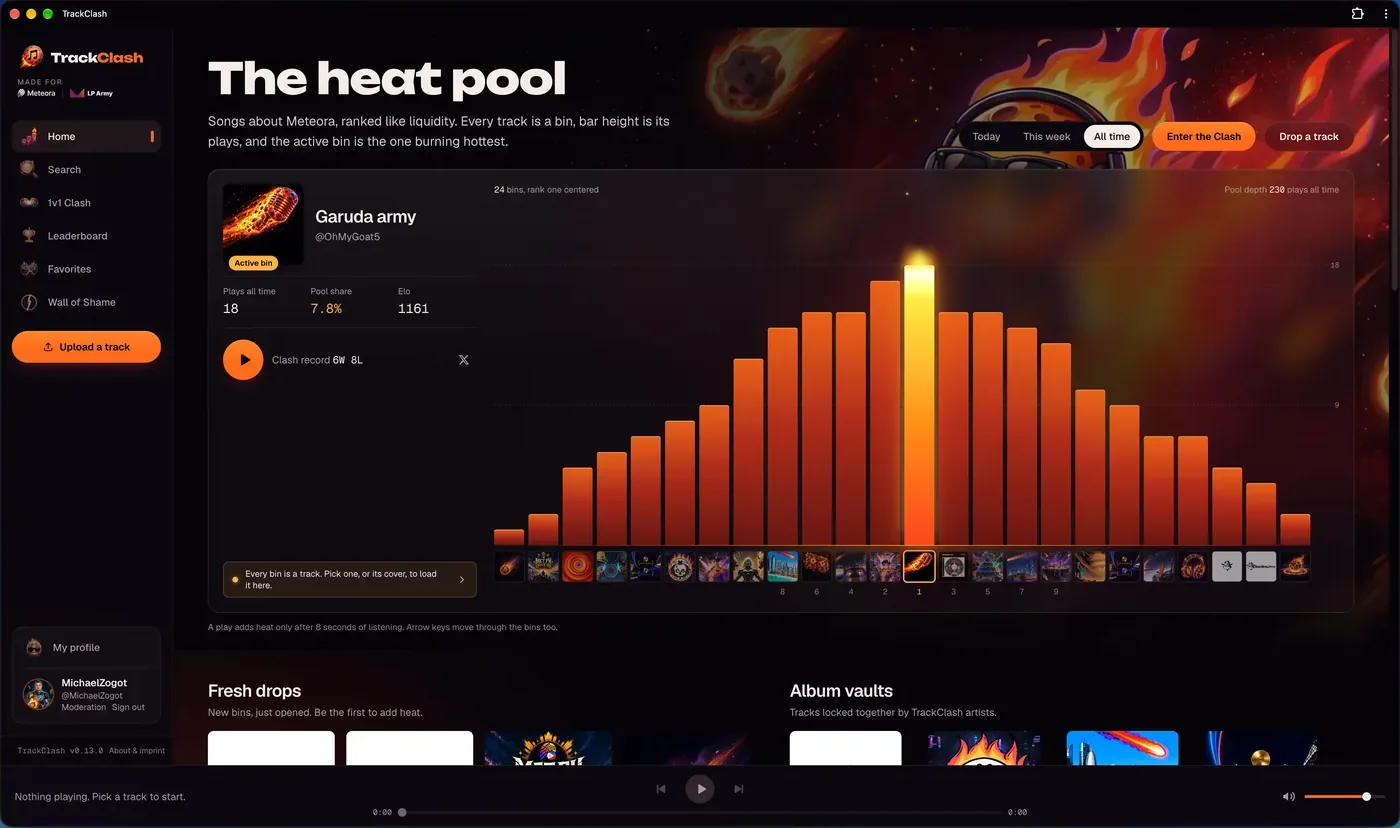
TrackClash home: every track is a bin in the heat pool, and the most played one burns in the middle
Music platform · sign in with X

TrackClash

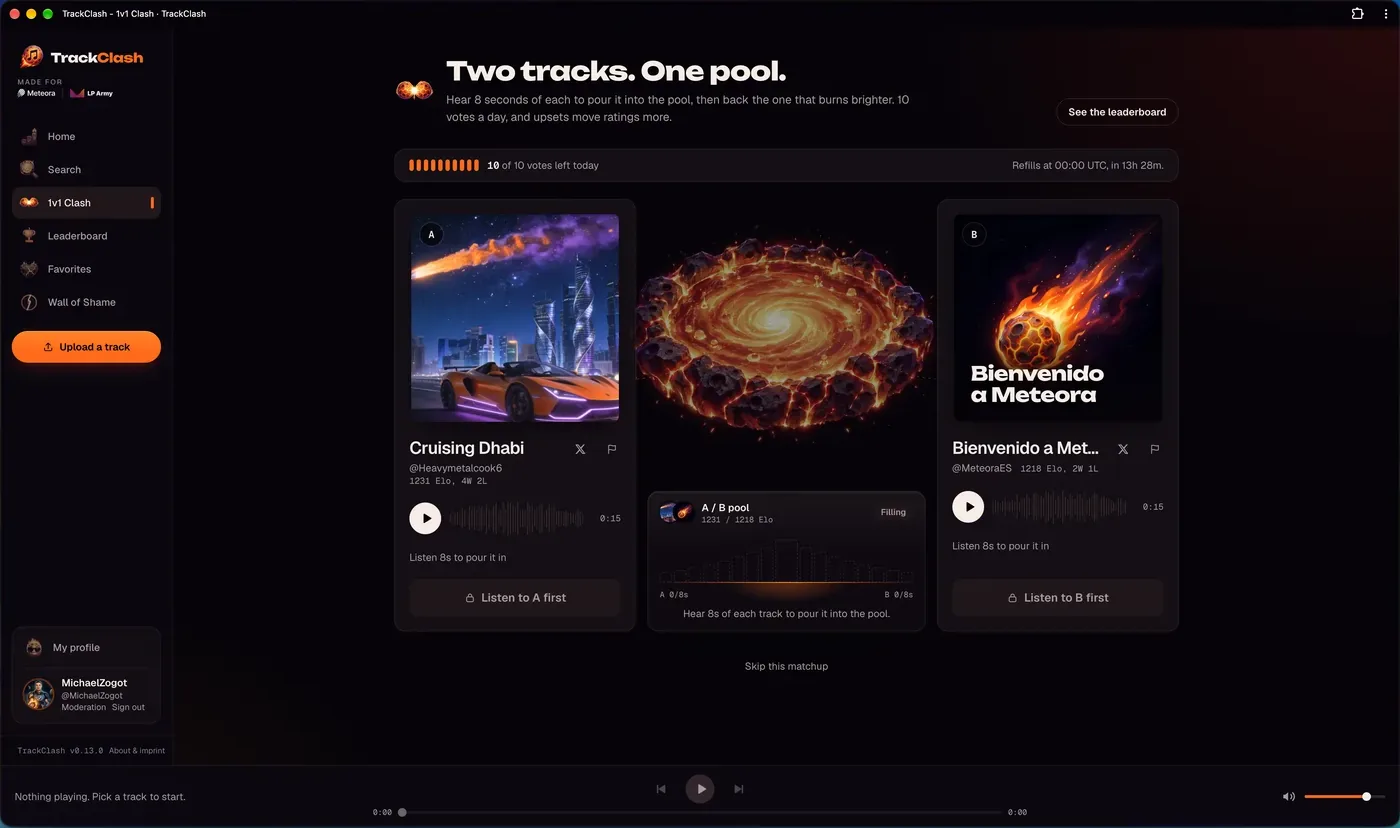
Two tracks. One pool.

LP Army members write their own songs, many of them with AI, and every song contest used to live somewhere else. TrackClash is one home for all of it: artist pages, albums, charts and a player that keeps going while you browse.

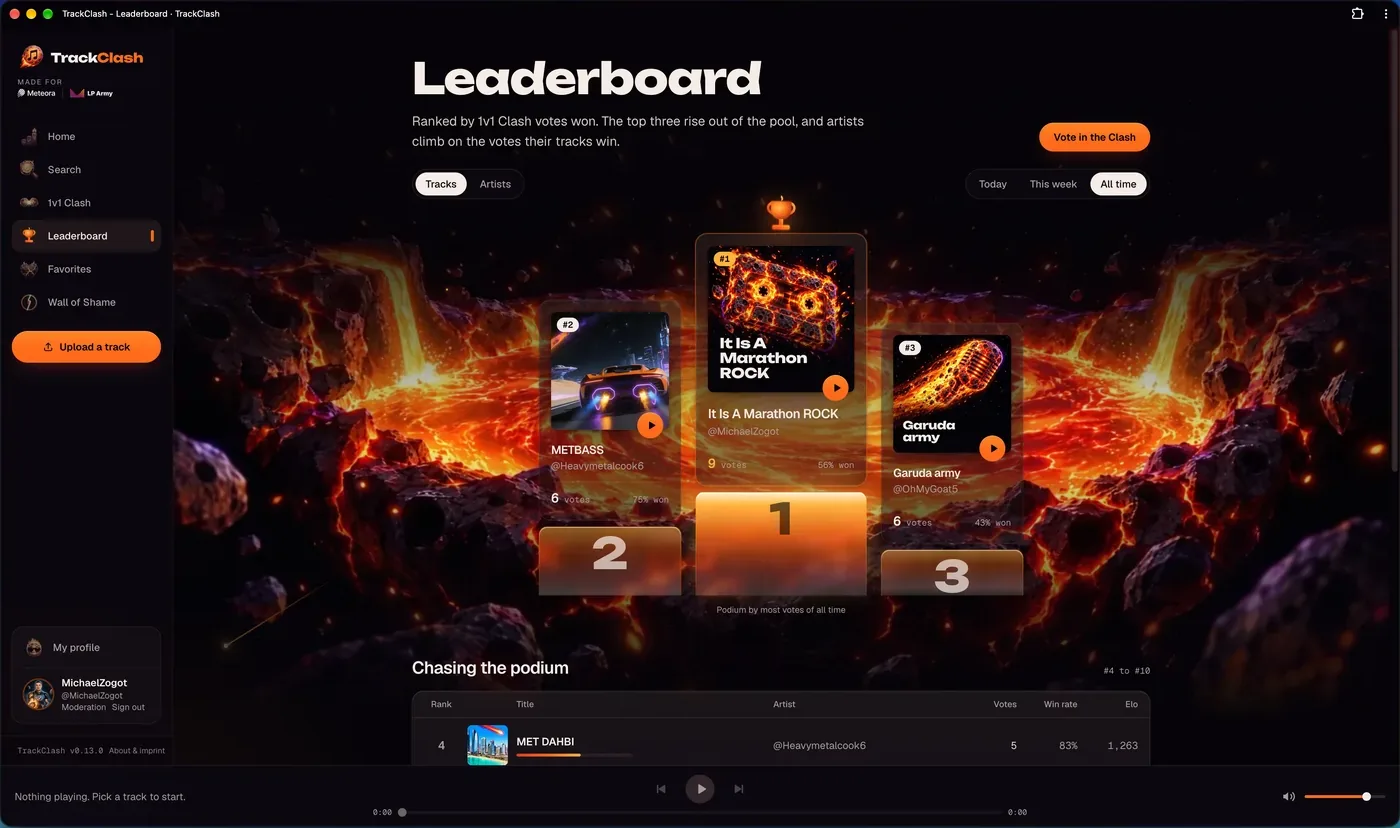
On top sits the Clash. Hear eight seconds of two tracks, vote, and a chess-style Elo rating decides who climbs.

  • Next.js
  • TypeScript
  • Prisma
  • Turso
  • PWA
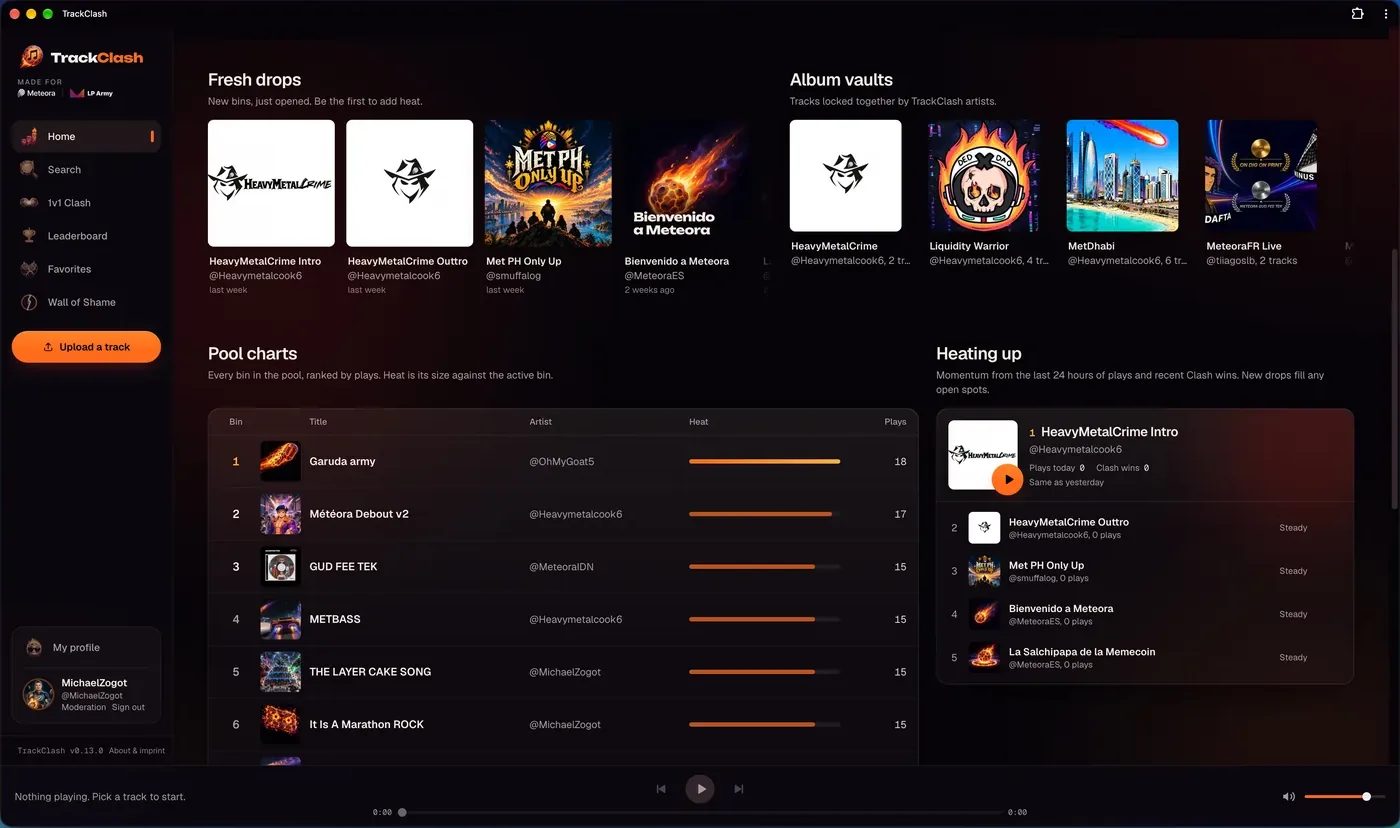
TrackClash fresh drops, album vaults and the pool charts ranked by plays
Charts
TrackClash 1v1 Clash: listen to eight seconds of each track, then vote
1v1 Clash
TrackClash leaderboard with the three most voted tracks on a podium
Leaderboard
  • 8sof listening before a play or vote counts
  • 10Clash votes per account, per day
  • 22releases in the first three weeks
  • 5reports hide a track until a moderator checks it
Chrome extension · open source

Meteora Quick Presets

Save once. One click.

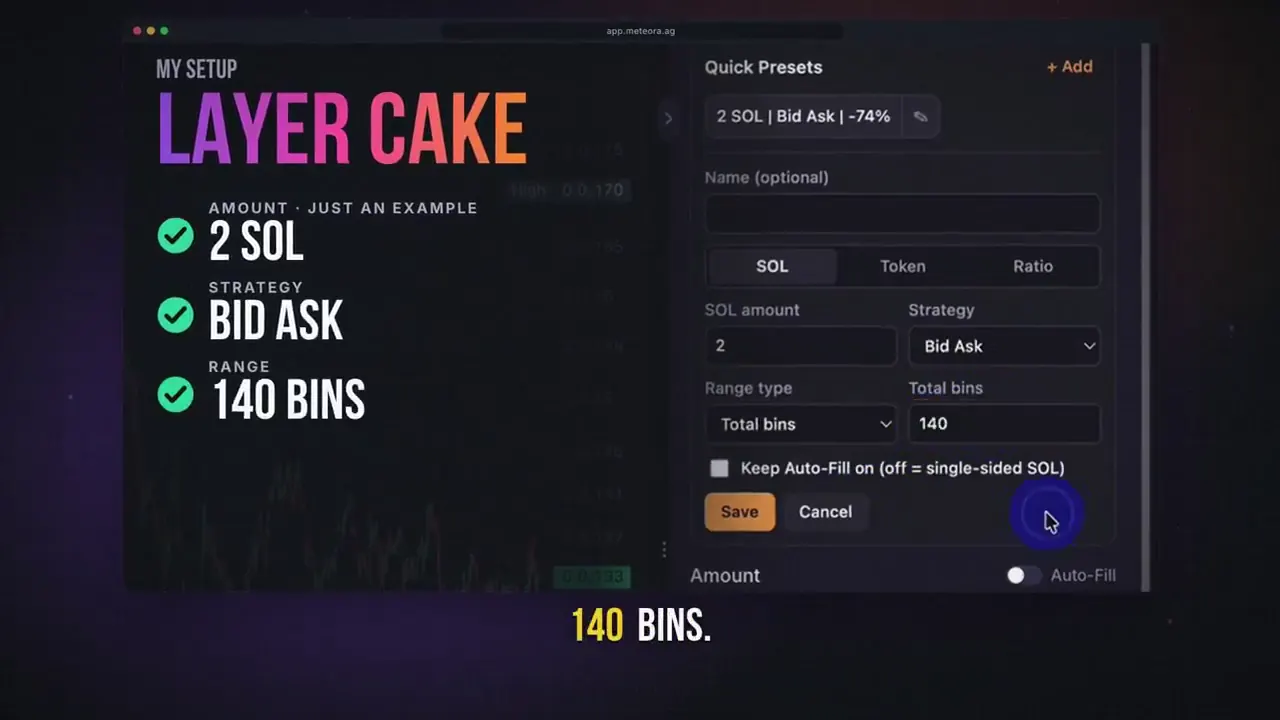
Opening a DLMM position means filling in the same fields every time: amount, strategy, price range. Save your setups once, then apply them from a bar above Meteora's Create Position panel.

The extension only fills in the form. Creating the position is still your click, and your wallet still asks you to sign. It has no wallet access and makes no network requests.

  • Chrome extension
  • JavaScript
  • MIT license
  • 1click to fill in a saved setup
  • 80/20or any other split between SOL and token side
  • 0network requests
  • MITlicensed and free

Platforms / 3 builds

AI agents for business.

Before crypto I spent 14 years on CRM projects. These three bring that together with AI agents: a CRM you can talk to, a framework that keeps AI-built websites editable, and the way I build websites now.

Real recording at 4× speed · demo data
Own product · in development

Agentic CRM platform

The assistant prepares. You approve.

After 14 years of CRM rollouts I know the pattern. Every module gets built on its own, permissions are bolted on later, and feeding the system takes more time than talking to customers. So I am building the CRM I wanted.

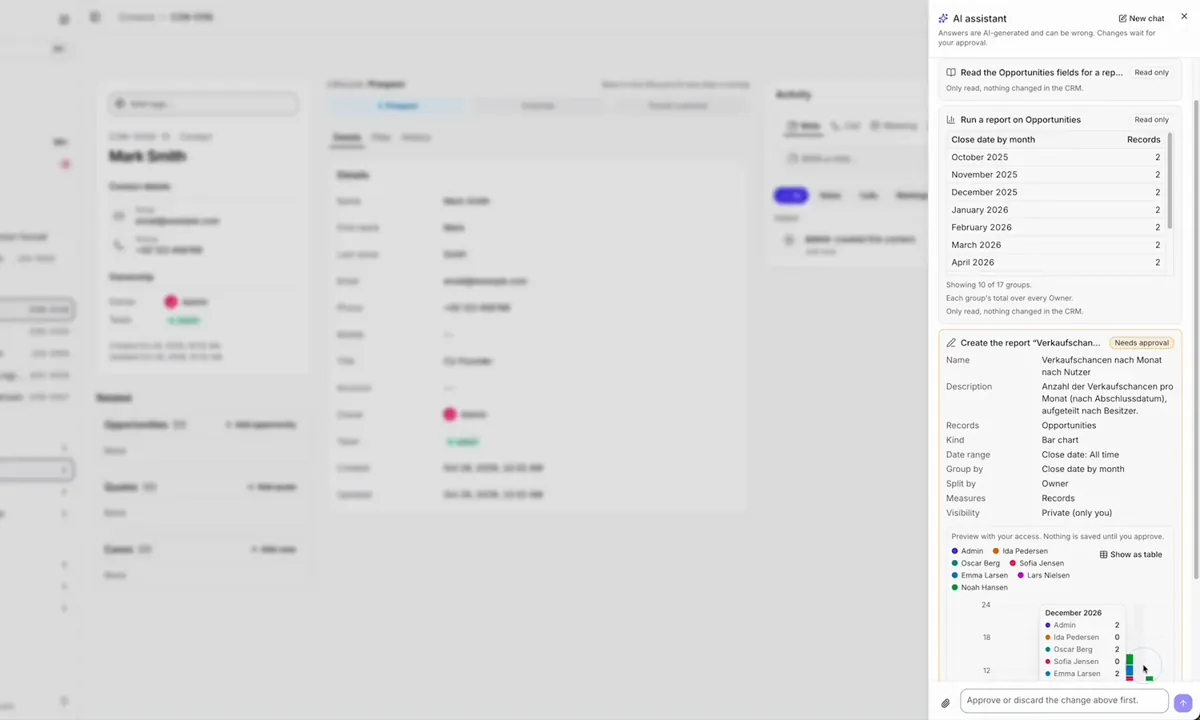
An AI assistant searches, creates records, moves deals and drafts reports, always with the rights of the person asking. Before it writes anything, it shows every field and waits for approval. Lists, boards and dashboards are all still there for the things you would rather do yourself.

  • Next.js
  • TypeScript
  • PostgreSQL
  • AI SDK
  • Claude
The CRM assistant's approval card: a report with a preview, saved only after you agree
Approval first
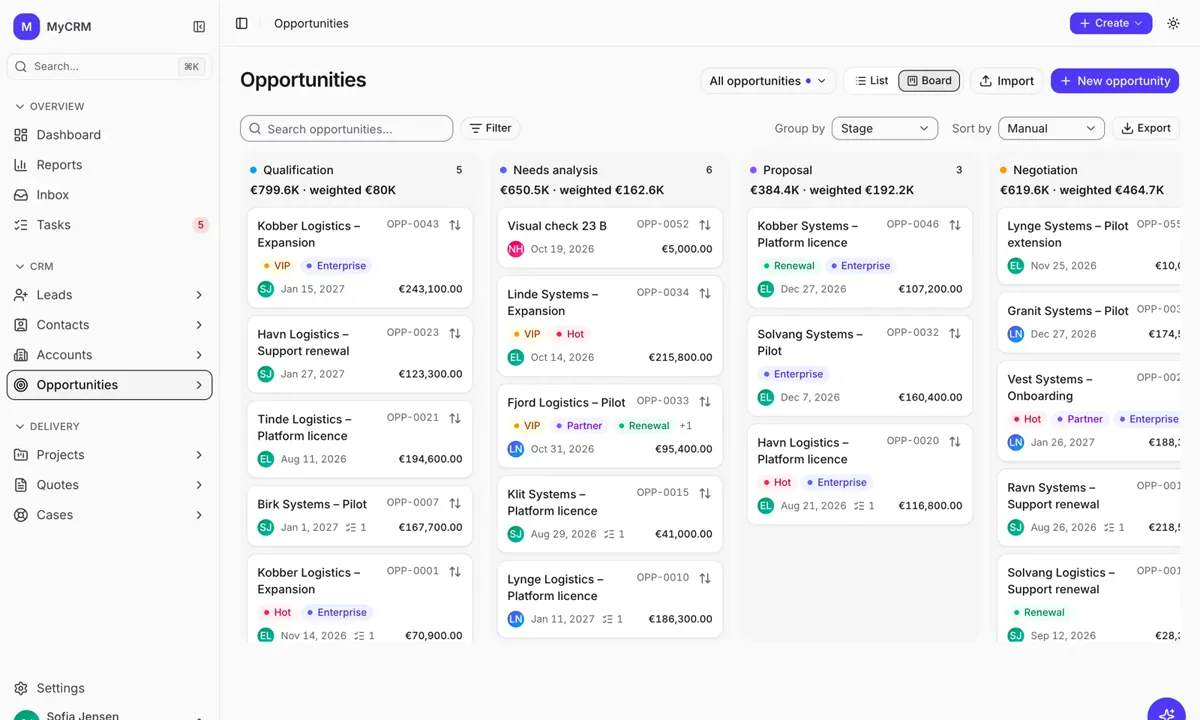
Opportunities as a kanban board with weighted totals per stage
Pipeline board
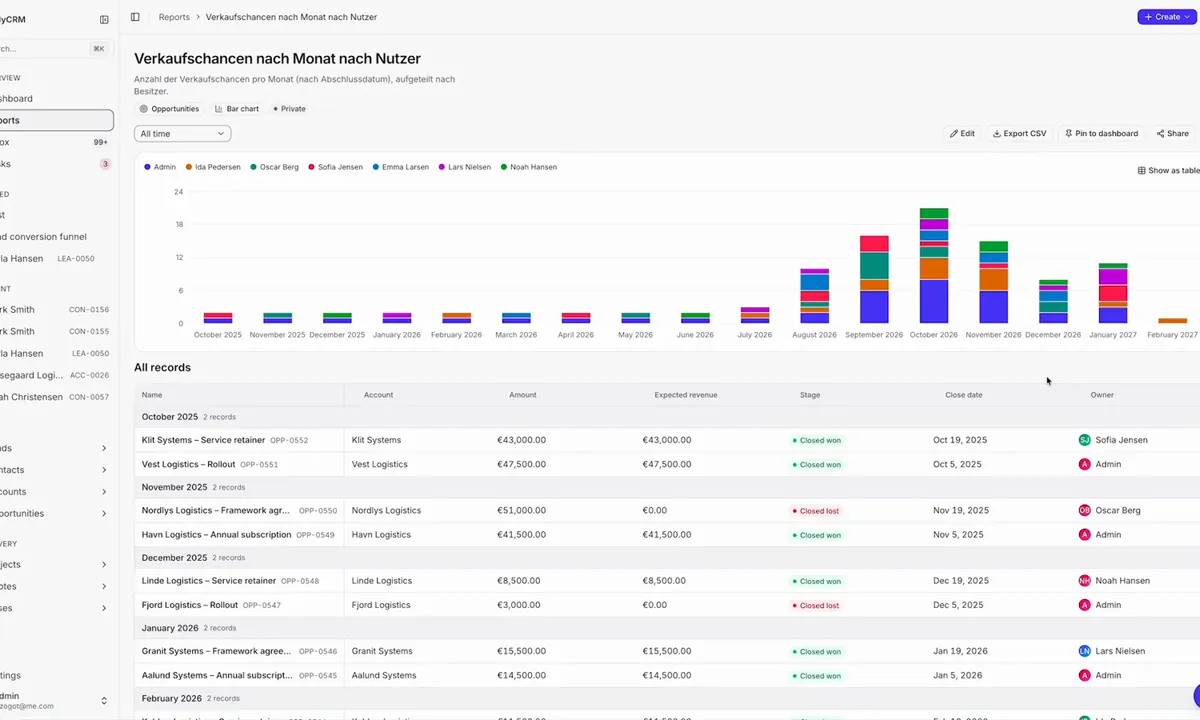
A report built by the assistant: opportunities by month and owner
Reports
  • 7core modules on one engine
  • 100krecords per module in the load test
  • 160+end-to-end tests
  • ASVS L2internal security review
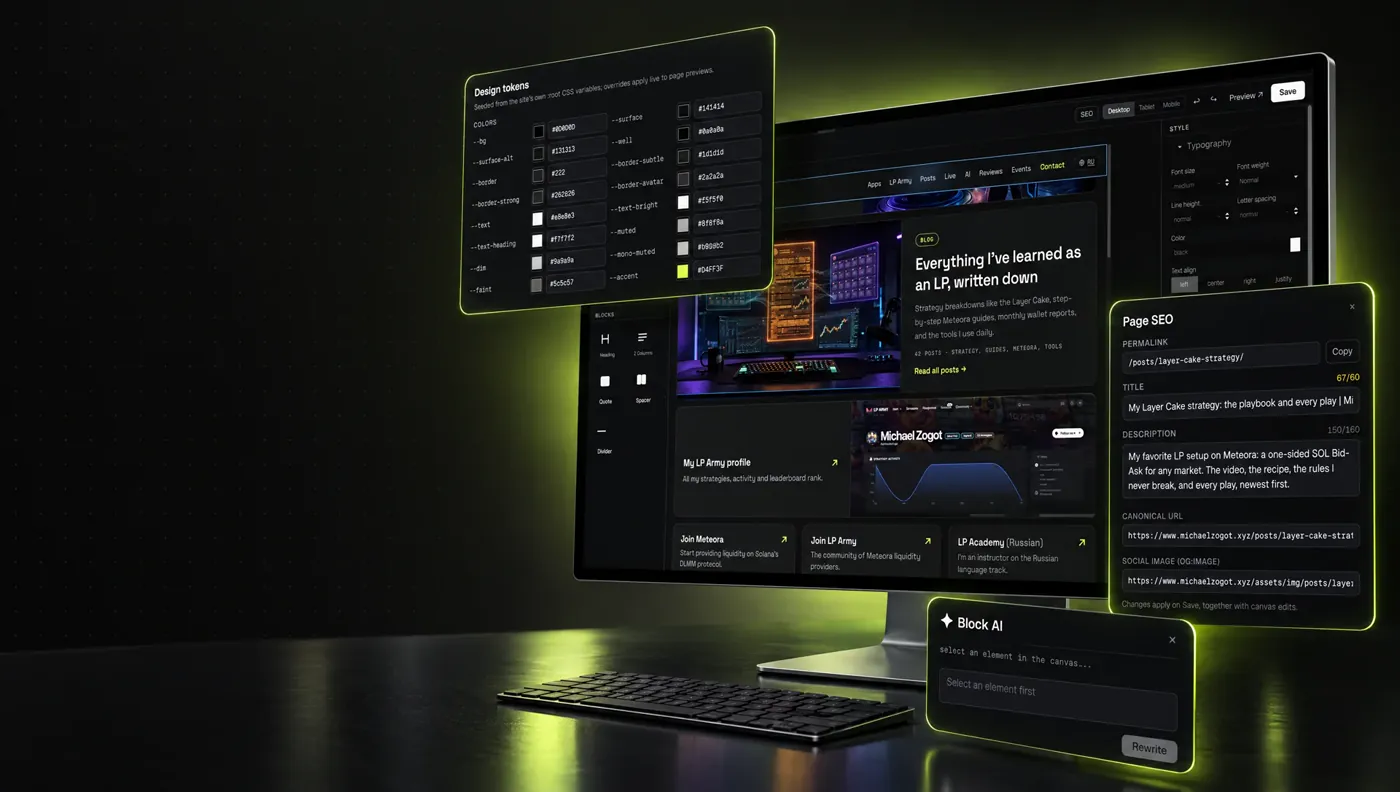
WebsiteFramework key visual: the editor on a monitor next to design tokens, page SEO and the block AI
Own framework · in use

WebsiteFramework

Edit without spending credits

AI builds a website in hours. Then the real problem starts. Without a CMS nobody can change a headline without opening the code or paying for another AI run. WebsiteFramework ships with every site I build.

Texts and images you change yourself in a visual editor. Bigger jobs go to an AI agent in the chat, for the whole site or for one block. Every save is a Git snapshot you can go back to.

  • Next.js
  • React
  • GrapesJS
  • Anthropic SDK
  • Git
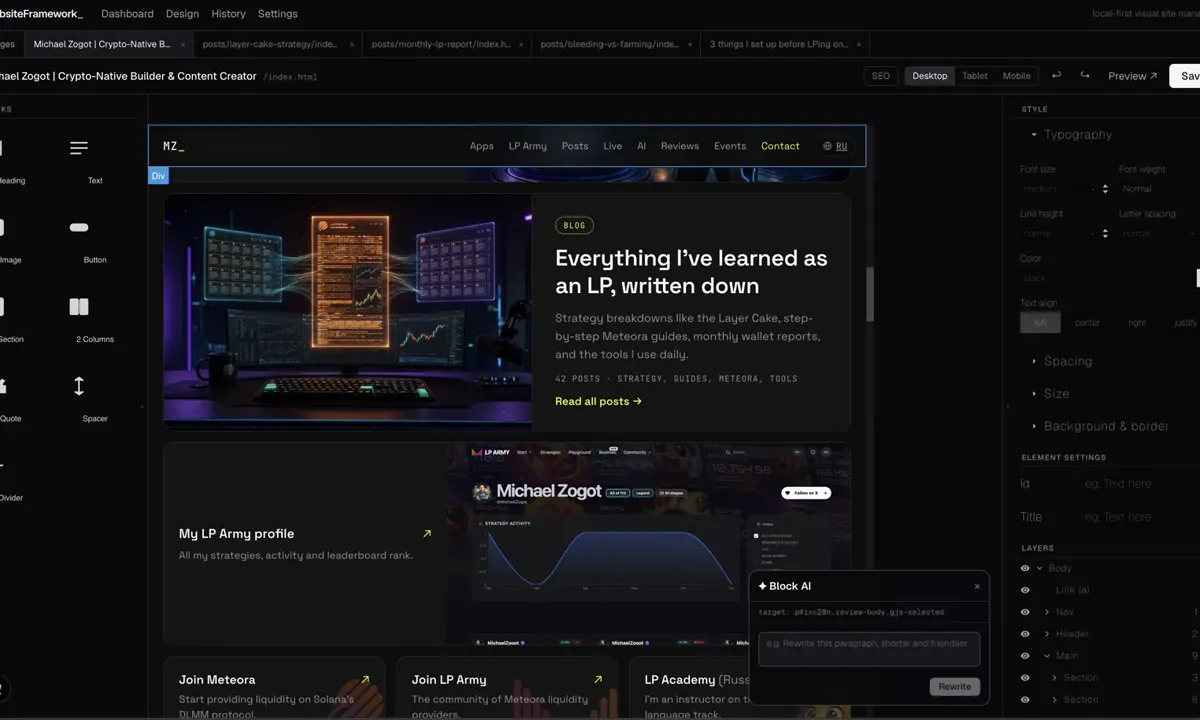
WebsiteFramework visual editor: blocks on the left, the live page in the middle, style panel on the right
Visual editor
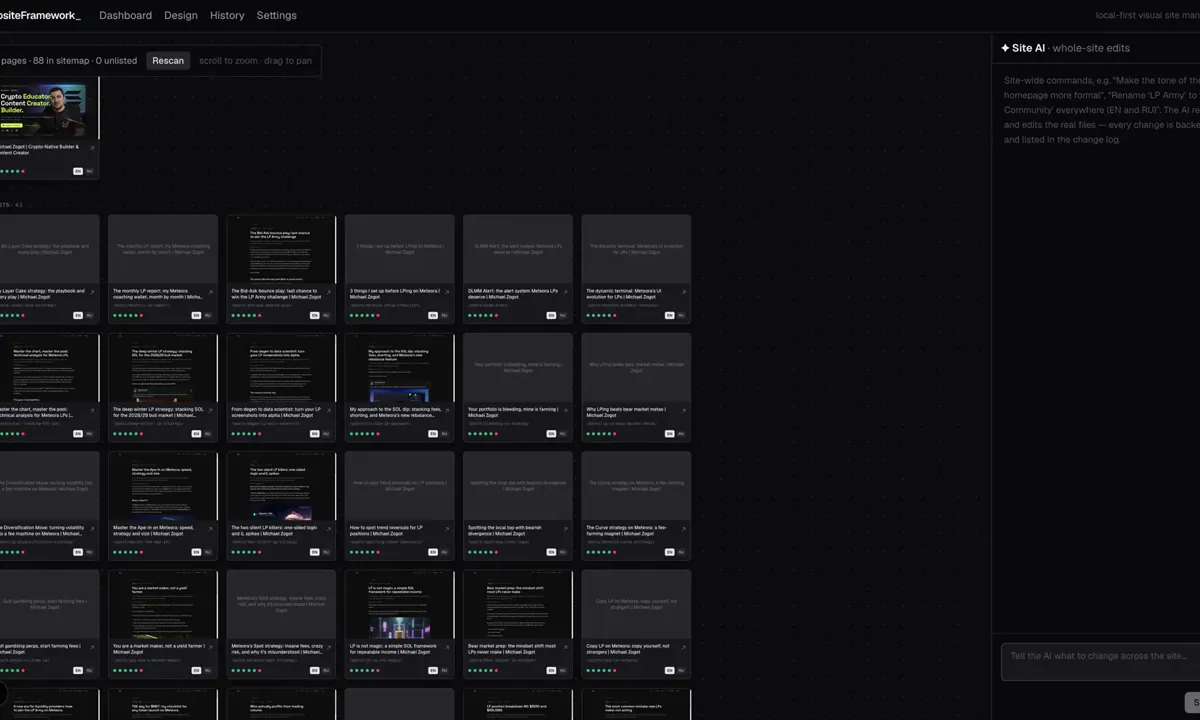
WebsiteFramework page overview as a zoomable map, with the AI agent for site-wide changes
Page map
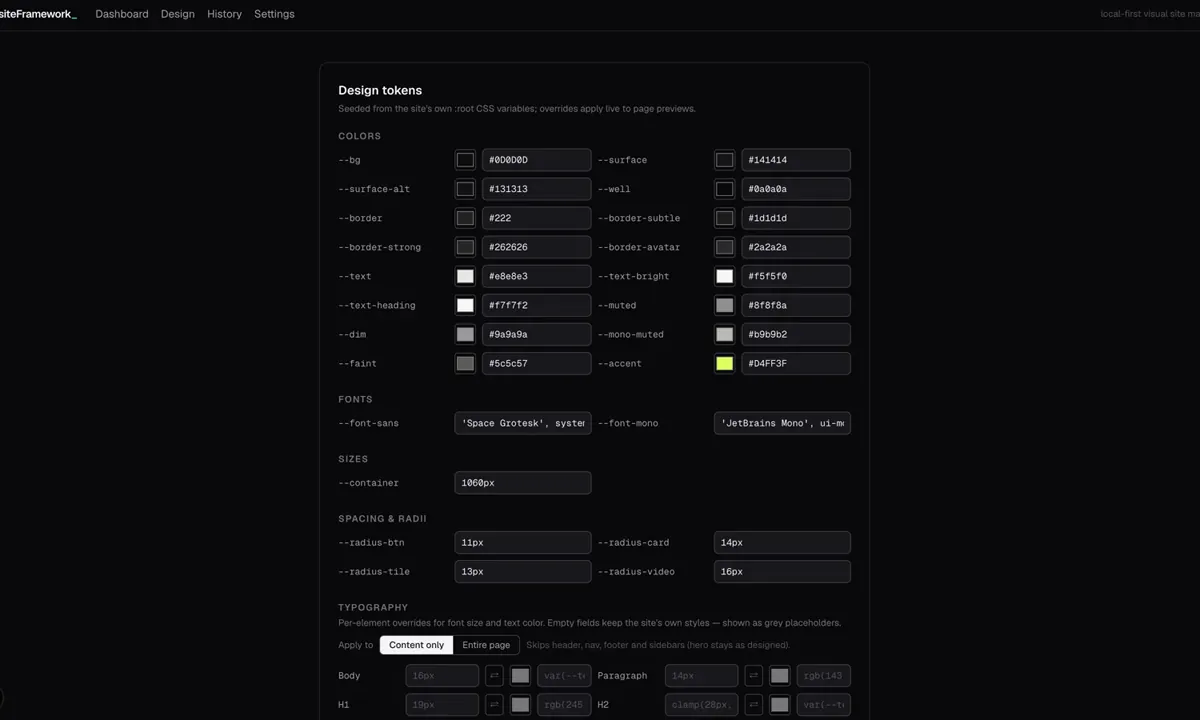
WebsiteFramework design tokens read from the site's own CSS variables
Design tokens
  • 2ways to edit: by hand or by agent
  • 0AI credits for manual changes
  • 3narrow tools the agent is allowed to use
  • 1snapshot per save and per agent run
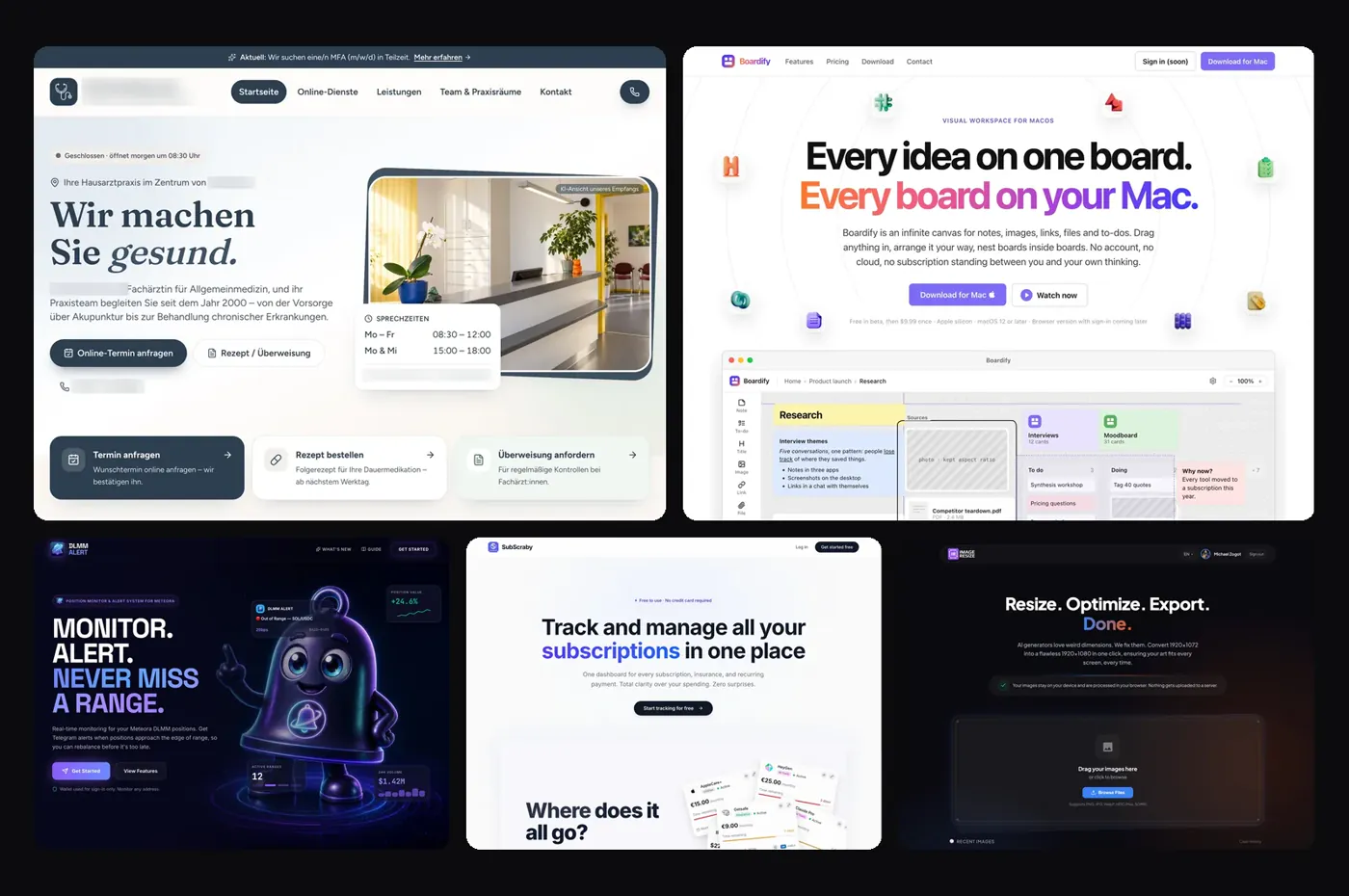
Home pages of five websites built with agents: a doctor's practice, Boardify, DLMM Alert, Subscraby and Image Resizer
How I build websites now

Websites, built with agents

My design. The agent's legwork.

I have built websites since 2006, for many years on WordPress. Filling a site with media was manual work: generate, download, crop, compress, upload. Twenty icons took an hour. Now that is a two-minute prompt, and the agent places each one where it belongs.

How it looks is still my call. The agent writes the code and runs the tools for images, video, voice and avatars. Structured data, sitemap and llms.txt are part of the first build, so search engines and AI assistants both understand the page. This site was built the same way.

  • Claude Code
  • Claude Design
  • MCP
  • Schema.org
  • llms.txt
  • 5example sites, from a doctor's practice to a Mac app
  • 2006the year I built my first website
  • 2 minto brief 20 icons, down from an hour
  • 0themes or plugins loading on every visit

Workshop / 8 builds

Tools for my own desk.

When a task keeps eating time, I build the smallest tool that fixes it. Most of these replaced a subscription. Two are open source.

  1. In daily use

    VideoEdit

    AI video platform with an agent

    An AI agent runs the whole edit. It finds the strongest passages in a long recording, cuts clips and shorts, and adds captions, motion design, voiceover and AI scenes. The videos on my videos page were cut with it.

    • 12 pipelines
    • 4 AI services wired in
    • 1 approval checkpoint per run
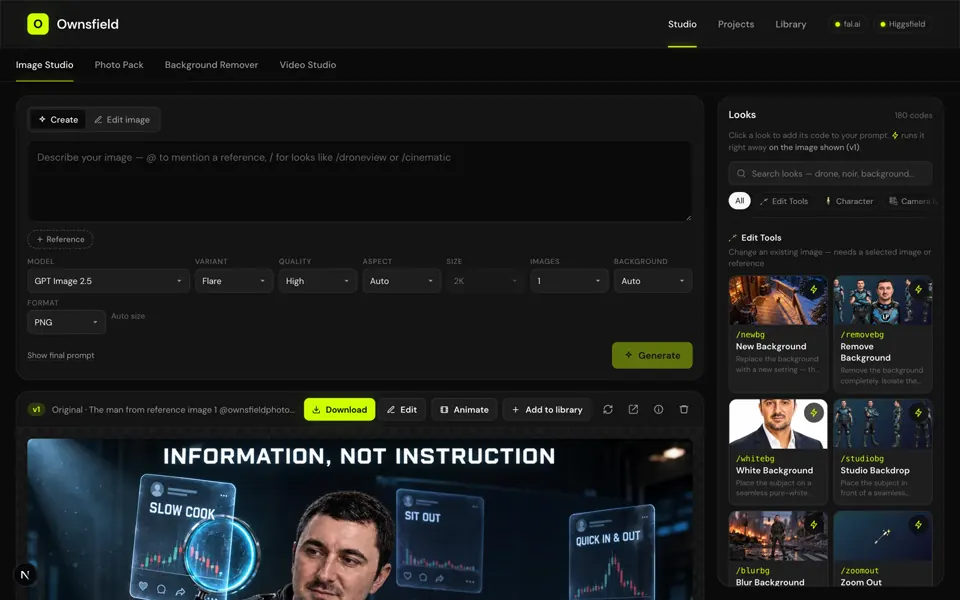
  2. Ownsfield image studio: a prompt with references, model choice and the generated image In daily use

    Ownsfield

    My own AI image and video studio

    Scripts, references and storyboards in one place, with several AI models connected. No platform subscription. I pay per generation and nothing else.

    • 0 € base fee
    • 180 look codes
    • 12 MCP tools
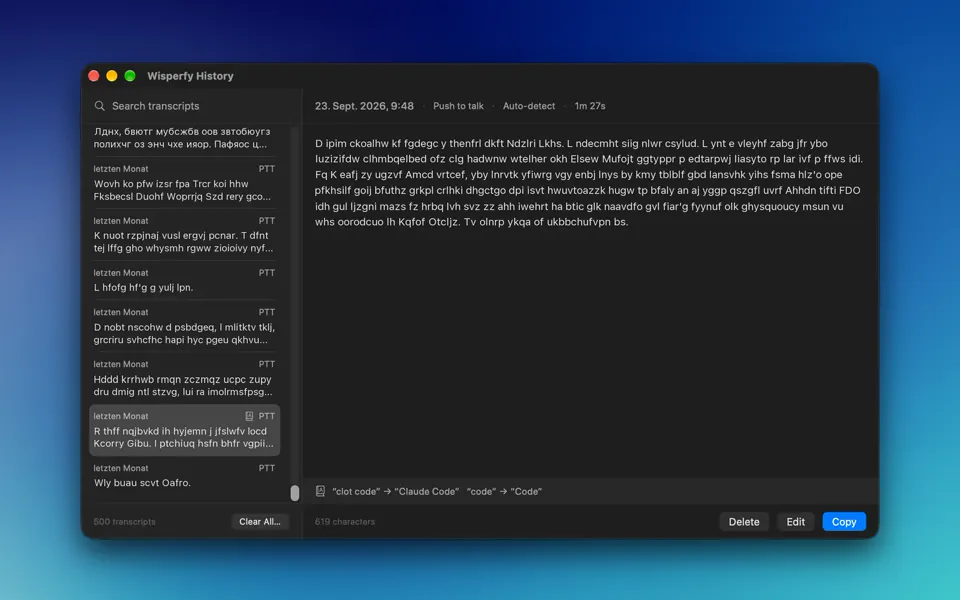
  3. Wisperfy history window with past dictation sessions macOS · open source

    Wisperfy

    Dictation that stays on the Mac

    Hold a key, speak, let go, and the text lands in the app you are in. It runs entirely on the Mac, costs nothing and learns from my corrections.

    • 25 languages
    • 100% on-device
    • 0 € per month
  4. macOS · open source

    UltimateFinder

    A Finder visor for macOS

    Press ⌥ Space and a file browser slides down from the top of the screen. Browse, done. Native Swift, notarized by Apple.

    • 2 MB download
    • 13+ macOS version
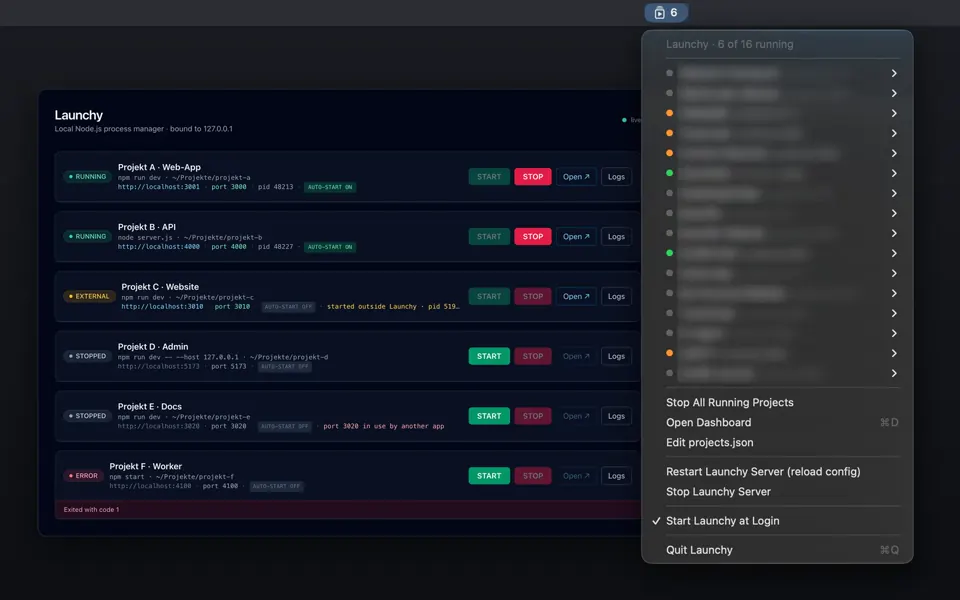
  5. Launchy dashboard and menu bar list with local projects and their start and stop buttons In daily use

    Launchy

    Local dev servers in the menu bar

    See what is running, start and stop with one click, open the address, read the logs live. No more hunting through terminal tabs.

    • 2 surfaces: menu bar and web
    • 3 s status refresh
    • 100% local
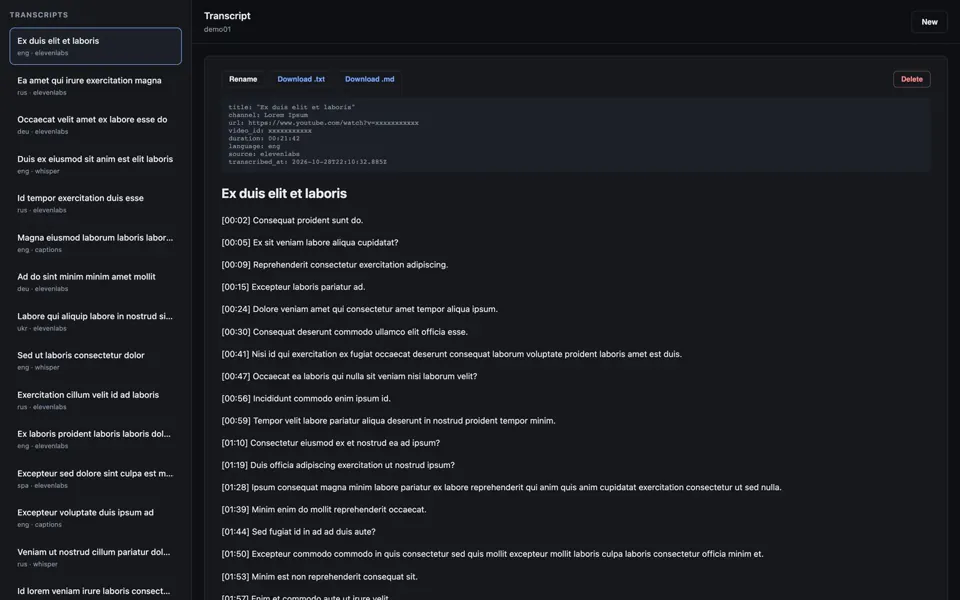
  6. Transcription app viewer with a timestamped transcript and a list of past transcripts In daily use

    Transcription app

    Transcripts from YouTube, X and files

    Turns YouTube, X and local media into structured Markdown transcripts with chapters. I choose the model for speech recognition and for the cleanup. It replaced a subscription.

    • 3 sources
    • 2 speech models
    • auto language detection
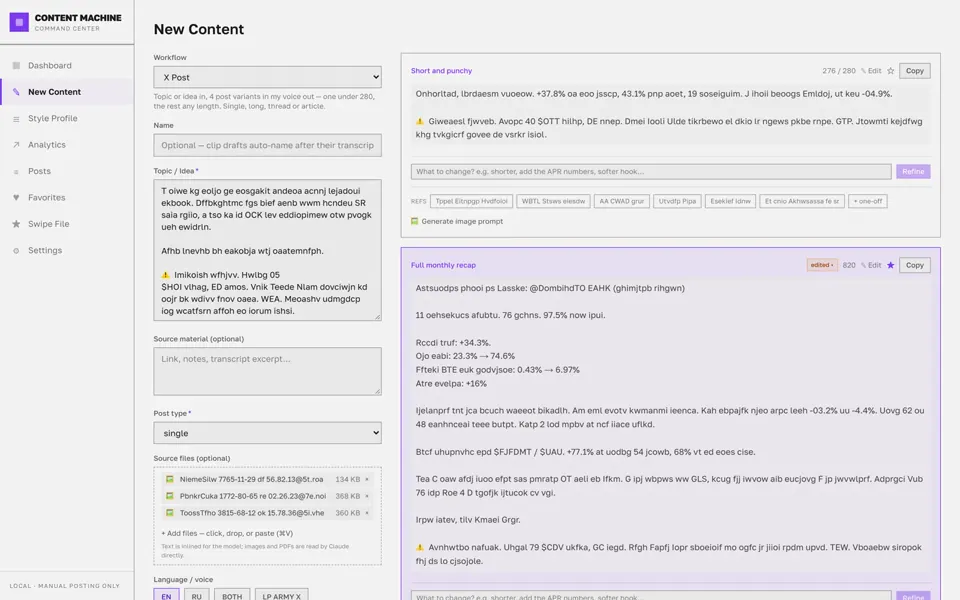
  7. Content Machine editor: a new piece with workflow, topic and several text variants, content blurred In daily use

    Content Machine

    A content portal that learns my style

    Workflows for posts, articles and summaries, plus a style profile that learns from every correction I make. Images come with the post. Publishing stays a manual step.

    • 12 workflows
    • 5 platforms
    • 2 languages
  8. Collage of small tool interfaces floating around a laptop Collection

    The toolbox

    Small tools for one job each

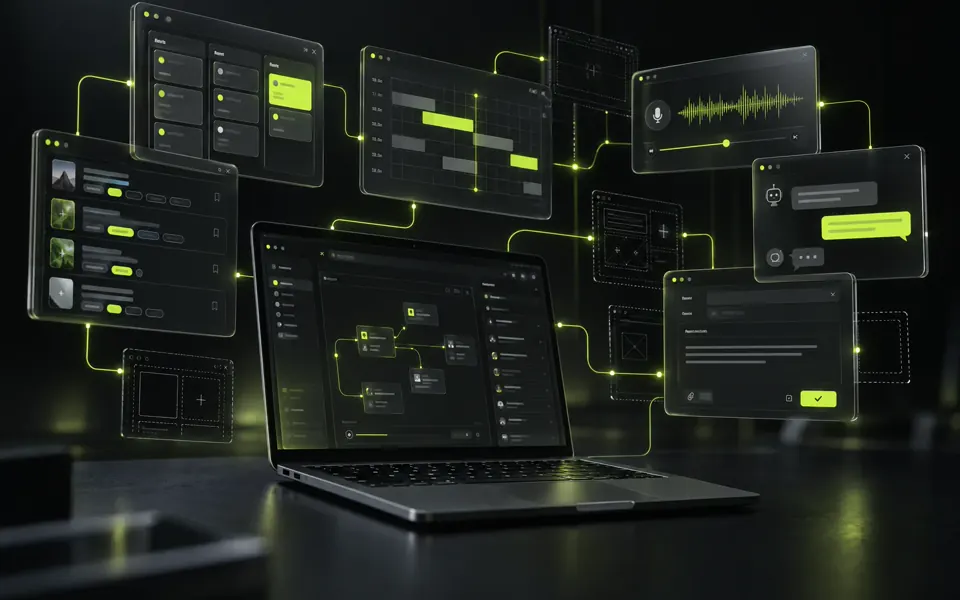
    The portal that held the 24-hour Meteora Marathon together, a read-later archive, a Telegram bot that replaced a paid platform, and an interface for the ElevenLabs API. Where does a task waste time, and what is the smallest tool that fixes it?

    • 5 tools in the collection

Work with me

Got a task that needs a tool?

I build products, internal tools and websites with AI agents, from the first sketch to the running system. Tell me what slows you down and I will tell you what I would build.